
Summary
Global
- Single Sign-On is now available on INO cx with SAML 2.0.
- New “Home page” tab for all three apps, where you’ll find the main information and shortcuts for your account, depending on what you’re allowed to do.

Banner
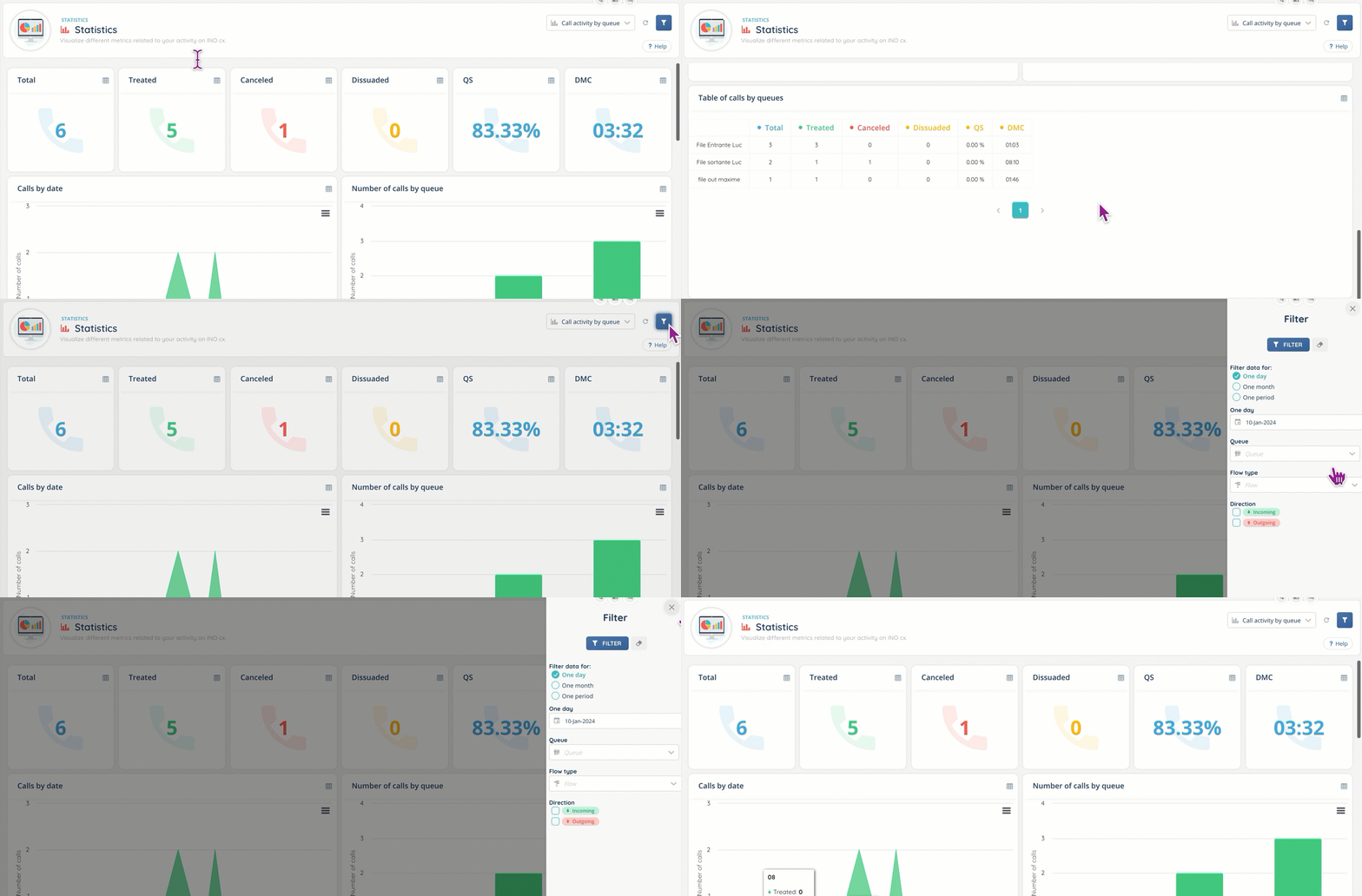
- New “Statistics” tab, which displays a selection of KPIs for your account and those of the users you manage (if you’re a Manager). Accesses are set up in the profile.
Supervision
- New “Platforms” tab: Platforms can be created on the Maker. Users are then placed on them and the Supervisor can view them of the Banner, check who is connected and monitor their activities in real time. The functionalities are identical to those of Supervision: flash message, disconnect, change profile/activity, etc.


Maker
- Distribution scores can be overloaded on per-user queues: several users can use the same profile, while each user can have a specific score for each queue in their profile.


- The “Distribution to number” Smart routing action no longer controls the number format of variables (and allows the addition of an extension, for example).
- Web services can now retrieve many more levels of data, and search through tables. An accompanying text describing how to do it is available on the Maker page.
- In a Web Service, the URL must respect the format of a URL. However, as soon as there is a variable, INO cx no longer checks the format and considers it to be a default URL.
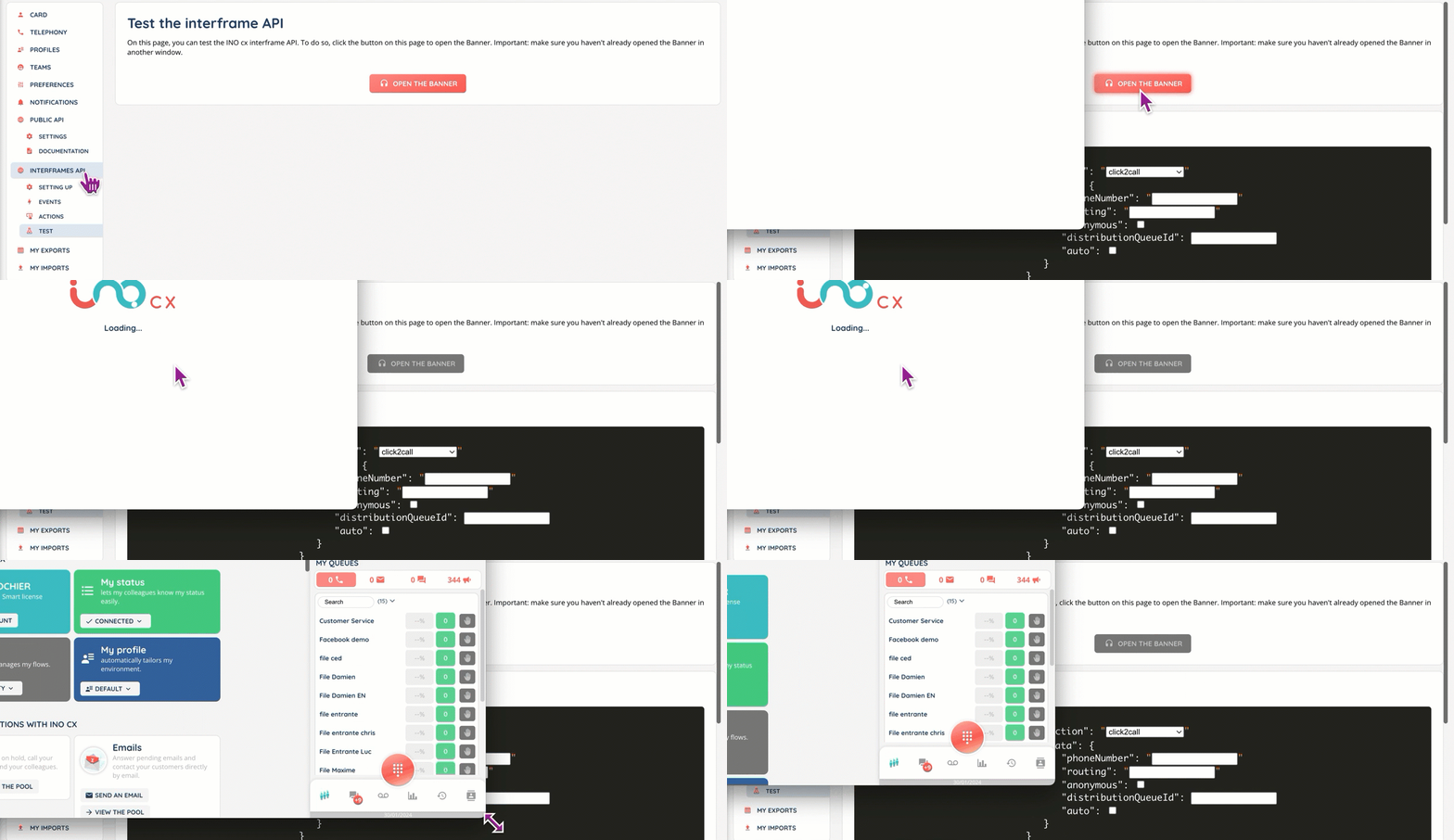
- It is now possible to test interframe APIs with a dedicated interactive tool in a sub-tab in your Maker account.
- Campaign subscriptions can be activated/deactivated via activities.
Smart routing
- A customer can now tap a button during a call to exit voicemail and continue in the Smart Routing.
- With magic inputs, it’s now possible to transform a national telephone number into an international format and vice versa.
ADDITIONAL CHANGES
Banner
- During an interaction transfer to a user, the status (connected, available, busy, etc.) of the users will be displayed.
- During a call, transfers via phone books require less clicks.
- Voice messages (Smart) are now displayed in their own tab (they were previously in a sub-menu of the calls’ pool).
- Number of pending interactions displayed in the mini screen’s “My queues” tab.

Supervision
- Statistics are reset once the set time has passed. Before, it was at the chosen time but not instantaneously: it was triggered once the hour had passed and after the 1st interaction. Also now there’s a new user parameter to choose the time at which to reset user statistics.
- In the Supervision and platforms views, advisors are colored according to what they do:
- Green while in treatment and 0 interaction.
- Red if at least 1 interaction is ongoing.
- Blue if their activity is of the “non-productive downtime” type, with 0 interaction.
- Purple if their activity is of the “productive downtime” type, with 0 interaction.
Maker
- INO cx CRMs can be emptied, and the number of deleted cards will be shown in a pop-up.
- If a user is disconnected, admins can change their “Manager/Collaborator” account status.
Reporter
- Admin users can give themselves the “Owner” status on any entity.
- The number of users is now displayed on entities with “Guest/Owner” rights (e.g. Exploration).
- Filters can now be reset.
- For “Smart routing path” data source: milliseconds have been added for greater precision, since sometimes several actions are carried out in the same second.
Smart routing
- It’s now possible to find an invoice with its linked phone number.
- Magical inputs include a new substring function for better filtering of information.
And some bug fixes.