

Highlights
Maker
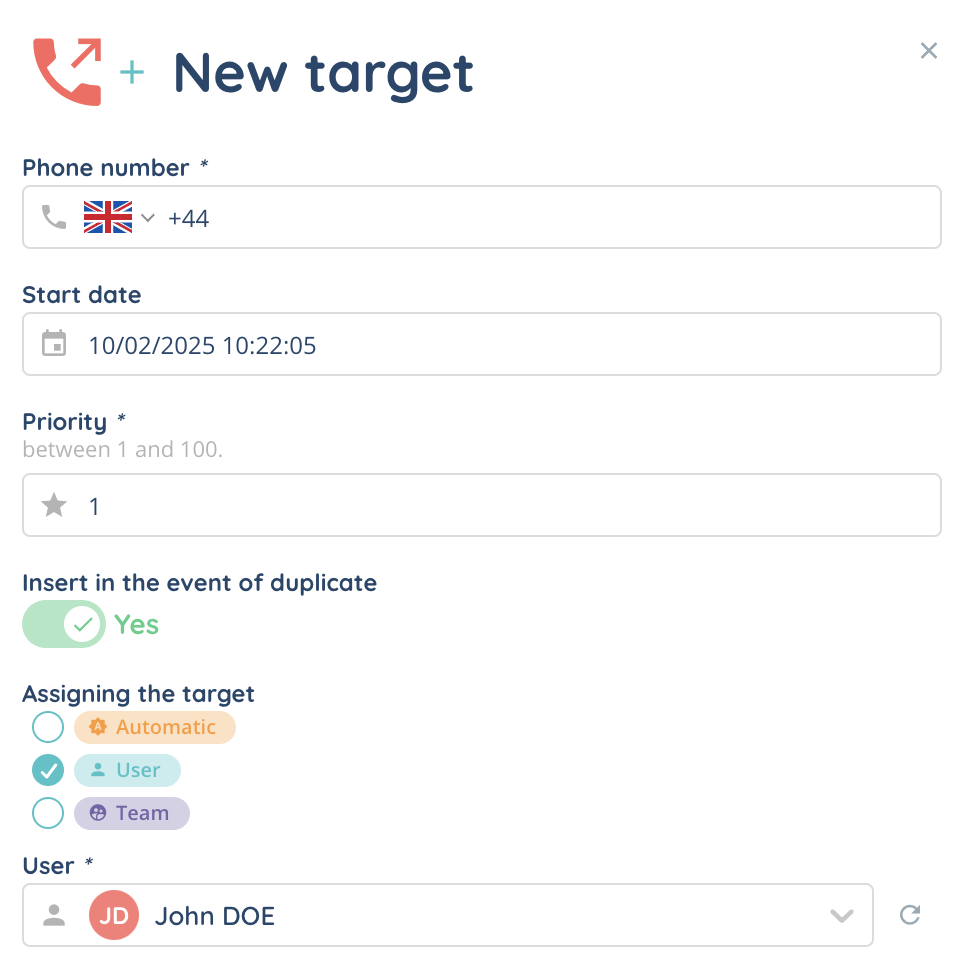
- In campaigns, when creating a target, a new field allows you to assign the target to a user or a team. If the target is assigned to a user or a team, you’ll need to define the duration of the target’s assignment (in the settings > options tab). After this period, the target will be automatically sent to another user. In the import tab, new fields appear for assigning a target to a user or team in advance.
Banner
- The messaging module is now divided into 2 tabs: the pool of pending messages and the pool of freezed messages (waiting for a response from the customer). A “session duration” timer column has been added to the pool, which resets as soon as a new message is received.
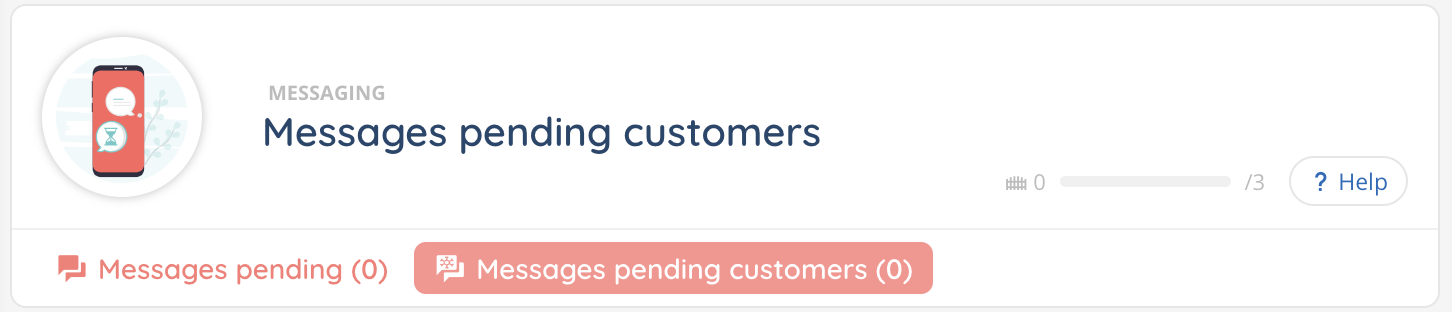
In the realtime Supervision module, a new column (number of messages awaiting reply) has also been added to the performance groups of columns, which indicates the number of current freezed interactions.
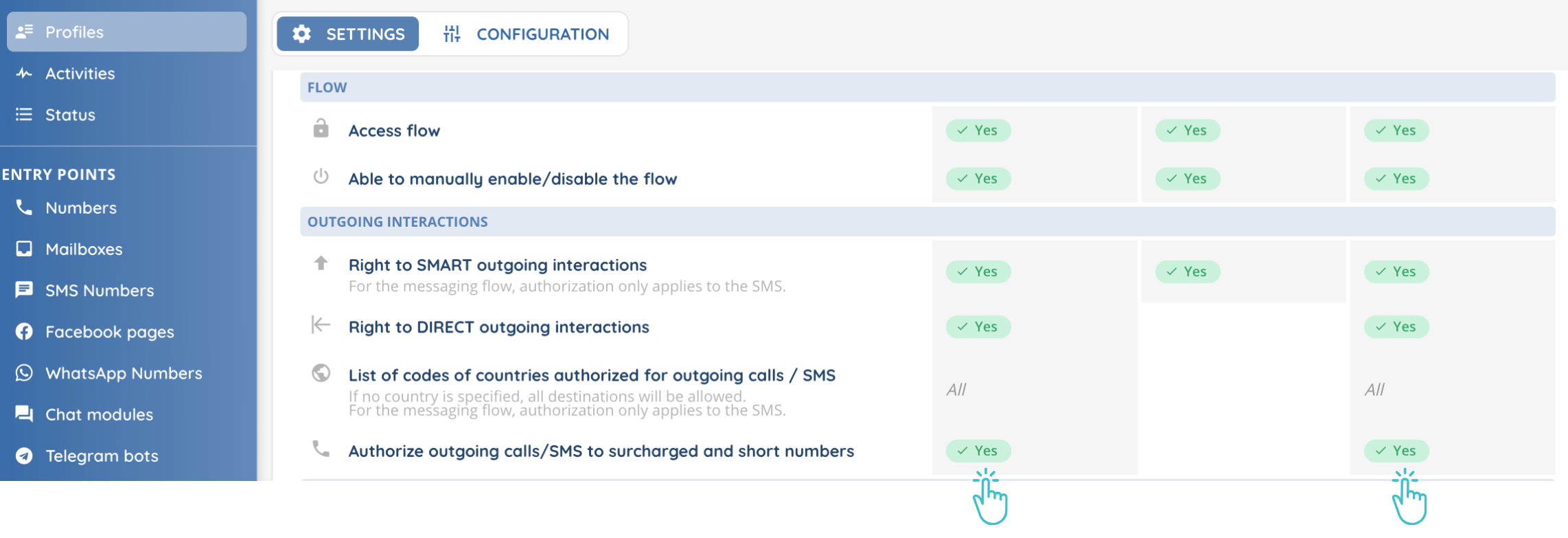
- It is now possible to make outgoing calls and SMS to short numbers (including overtaxed numbers). Transfers to this type of number are also available. The right to do so must be activated in the profile (Maker).
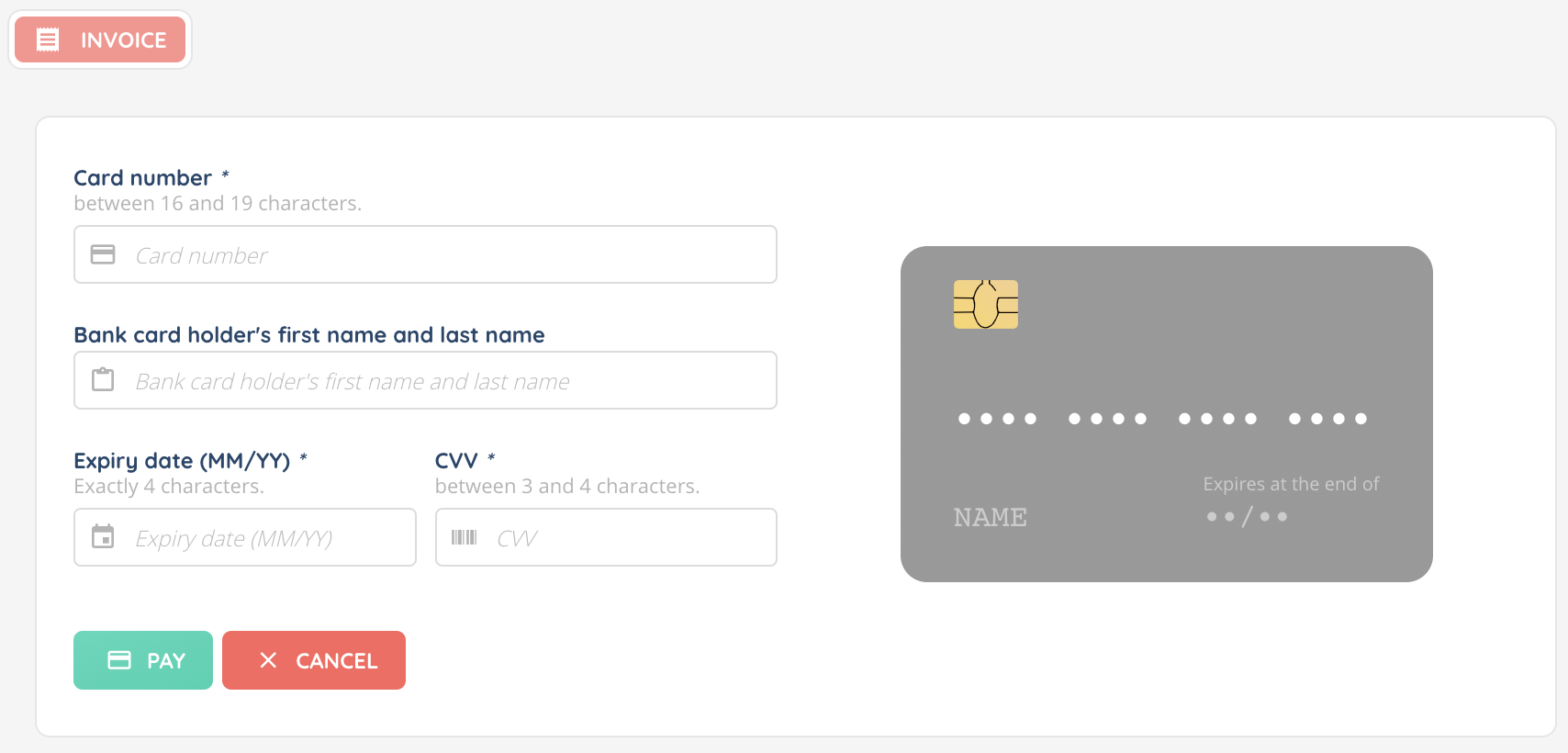
- In INO pay payment forms, the credit cardholder field has been added.
- New “my account” setting: You can set an audio and/or desktop notification when a call in progress is hung up.
- You can also set an audio and/or desktop notification when a participant joins or leaves a voice or messaging interaction.
Supervision
- In the profile, access to discreet listening and whispering (real-time guidance for agents without the customer hearing) can now be enabled or disabled for managers.
Reporter
- 2 new data sources have been created.
- transaction (in the “payment” category): all payments of invoices (note: 1 invoice can have multiple transactions).
- transaction (in the “invoicing data sources” category): billing data for transactions.
Connector
- When an incoming call comes in on INO cx with a Zendesk CRM card CTI, the Banner is automatically opened in Zendesk.
Additional changes
Maker
- If a chat conversation on a website receives a new message after being closed, a notification with the number of mew message(s) is displayed, akin to the conversations’ notification bubble.
- A smart routing in test mode will now appear at the top of the list, while the others remain in alphabetical order below.
- In queues, the “insert history” parameter for email interactions is now available for incoming queues. It was already available for outgoing queues.
- It is now possible to select the “Voice campaign” type in the display conditions of a custom button.
- When exporting or importing CRM cards, CRM cards id are now included in the spreadsheet.
- New magic variables are available for the “click to call” function: interaction.clickToCallData.cardId, which determines from which card the clicktocall is made, which is useful for integrated CRM, and interaction.clickToCallData.objectType (for integrated CRM objects: account, contact, lead, etc.).
- When creating a new web service, the number of characters in the password field is now increased to 128.
- A visual indicator has been added for features available only in France (speech analytics, INO pay banking contract).
- The Maker’s homepage now displays a quick access button to the user’s active profile.
- On the list of roles, a visual indicator appears next to your role.
- In the platform settings, the user list now shows up to 200 rows per page by default, instead of 50.
- It is now possible to search in the users’ module list by username.
- 5 columns have been added to case fields list (default value, regular expression, minimum value, maximum value, required). Therefore, the description button has been removed.
Banner
- When the agent puts a voice interaction on hold, a waiting time indicator appears in the small banner.
- From the user capsule, you can now directly open a new tab to see or edit your profile in the Maker.
- A button to send an SMS has now been added to the personal voice message tab (in the small banner).
- From now on, when a voice message is left in a voicemail (Smart only), the timezone used is retrieved in this order of priority: phone number’s timezone, voicemail’s timezone, customer’s global settings’ timezone.
- During a payment, the formalism of a credit card (spaces between groups of digits, / between month and year of the expiration date) is now complied with.
- Categories, headings and sections of an evaluation grid can now be collapsed or expanded using a drop-down menu.
- During an interaction’s transfer to user, it is now possible to search through the users list.
- Wherever it is possible to filter by advisor using the advanced search function, a label indicates whether an advisor is a collaborator or a manager.
- Private documents can now be sent from the document center via the document sending button (for messaging and collaborative discussions).
Reporter
- New UX changes:
- Data sources and explorations: number of occurrences is now displayed in the columns’ filter.
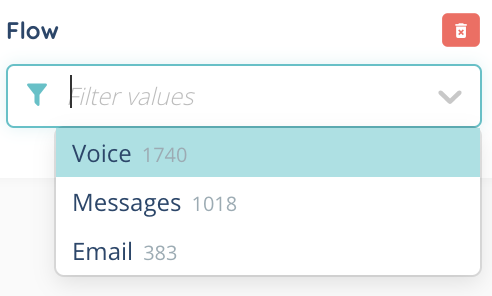
- KPIs (explorations): abscissa is now “data group”, the distribution number column is now available in the filters, and a second color bubble is displayed with red for formulas and blue for calculated data.
- Scheduled reports: the most recents are displayed first.
- Addition of KPI count on pages listing explorations and dashboards.
- In data sources, several columns have been added or modified, and new fields have been added:
- Deleted columns
WARNING ⚠️ will be automatically removed from existing scheduled reports, public API, KPIs, calculated data, dashboards, explorations, etc.
| Datasource name | Details |
|---|---|
| sms | SMS template ID (smsTemplateId) |
| sms | queue ID (distributionQueue.id) |
2. Renamed values
Does not affect existing public API but ⚠️ affects scheduled reports, explorations, KPIs, dashboards, etc.
| Datasource name | Details |
|---|---|
| interactions | in interaction type column, from VOICE_CAMPAIGN to Call campaign (kind) |
| interactions | in interaction type column, from CALL to Call (kind) |
| interactions | in interaction type column, from EMAIL to Email (kind) |
| distributions | in interaction type column, from EMAIL to Email (interaction.kind) |
| distributions | in interaction type column, from VOICE_CAMPAIGN to Call campaign (interaction.kind) |
| distributions | in interaction type column, from CALL to Call (interaction.kind) |
3. New values
WARNING ⚠️ automatically affect existing scheduled reports, public API, explorations, KPIs, dashboards, etc.
| Datasource name | Details |
|---|---|
| interactions | in detailed interaction status column, new value maximum session duration reached (session_tmo) |
| distributions | in detailed interaction status column, new value maximum session duration reached (session_tmo) |
4. New columns
Remember to add new columns to your data sources, explorations and scheduled reports.
WARNING ⚠️ automatically added to public API.
| Datasource name | Details |
|---|---|
| incoming call distributions | queue tag (distributionQueueTag) |
| outgoing call distributions | customer ring duration (endCustomerRingingDuration) |
| outgoing call distributions | queue tag (distributionQueueTag) |
| outgoing call distributions | call type (interaction.kind) |
| outgoing calls | customer ring duration (distribution) (distributionLife_endCustomerRingingDuration) |
| outgoing calls | Campaign name (voiceCampaign.id) |
| outgoing calls | Campaign session name (voiceCampaign.session.id) |
| incoming email distributions | queue tag (distributionQueueTag) |
| outgoing email distributions | queue tag (distributionQueueTag) |
| incoming message distributions | queue tag (distributionQueueTag) |
| outgoing message distributions | queue tag (distributionQueueTag) |
| interactions | customer ring duration (distributionLife_endCustomerRingingDuration) |
| distributions | queue tag (distributionQueueTag) |
| distributions | customer ring duration (endCustomerRingingDuration) |
| activities | untreatment.duration (time spent in non-treatment activities) |
| qualifications | voice campaign tag (voiceCampaign.tag) |
| sms | Interaction Id (interaction.id) is added for every SMS sent during an interaction (all SMS types) |
| sms | distribution Id (interaction.currentDistributionLifeItemId) |
| sms | queue tag (interaction.currentDistributionQueueTag) |
| sms | SMS template tag (smsTemplate.tag) |
| sms | payment module tag (paymentModule.tag) |
| sms | smart routing tag (smartRouting.tag) |
| sms | smart routing version tag (smartRouting.version.tag) |
| sms | SMS campaign tag (smsCampaign.tag) |
| sms | Original interaction id (fromInteraction.id) SMS triggered by voice interaction |
| sms | Original distribution id (fromInteraction.currentDistributionLifeItemId) SMS triggered by voice interaction |
| sms | Original interaction flow (fromInteraction.flow) SMS triggered by voice interaction |
| sms | Original interaction direction (fromInteraction.direction) SMS triggered by voice interaction |
| sms | Original interaction queue (fromInteraction.currentDistributionQueueId) SMS triggered by voice interaction |
| sms | Original interaction queue tag (fromInteraction.currentDistributionQueueTag) SMS triggered by voice interaction |
| sms | SMS template ID (smsTemplate.id) |
| sms | queue Id (interaction.currentDistributionQueueId) |
| call campaign attemps | Video call (switchInVisio) Yes / No |
| call campaign attemps | campaign session tag (session.tag) |
| call campaign attemps | campaign tag (voiceCampaign.tag) |
| call campaign targets | campaign session tag (attempts_session.tag) |
| call campaign targets | campaign tag (voiceCampaign.tag) |
| sms campaign attemps | campaign session tag (session.tag) |
| sms campaign attemps | campaign tag (smsCampaign.tag) |
| sms campaign targets | campaign session tag (attempts_session.tag) |
| sms campaign targets | campaign tag (smsCampaign.tag) |
| user interaction presentations | queue tag (distributionQueue.tag) |
| audio recordings (Type : recordings) | queue tag (distributionQueue.tag) |
| audio recordings (Type : invoicing data sources) | queue tag (distributionQueue.tag) |
| payment module | payment module tag (tag) |
| invoices | last payment link click (lastClickDate) |
| invoices | number of payment link clicks (nbClick) |
5. Renamed columns (Reporter)
Does not affect existing scheduled reports nor public API, but only manual exports from the Reporter because translations changed.
| Datasource name | Details |
|---|---|
| outgoing call distributions | from ring duration to user ring duration (ringingDuration) |
| incoming calls | from transfer to entry point (Distribution) to interaction status (distribution) (distributionLife_status) |
| incoming calls | from transfer to entry point (Distribution) to detailed interaction status (distribution) (distributionLife_statusDetail) |
| incoming calls | from total call duration (agent) to total call duration (duration.total) |
| outgoing calls | from ring duration (distribution) to user ring duration (distributionLife_ringingDuration) |
| outgoing calls | from transfer to entry point (Distribution) to interaction status (distribution) (distributionLife_status) |
| outgoing calls | from transfer to entry point (Distribution) to detailed interaction status (distribution) (distributionLife_statusDetail) |
| incoming emails | from transfer to entry point (Distribution) to interaction status (distribution) (distributionLife_status) |
| incoming emails | from transfer to entry point (Distribution) to detailed interaction status (distribution) (distributionLife_statusDetail) |
| outgoing emails | from transfer to entry point (Distribution) to interaction status (distribution) (distributionLife_status) |
| outgoing emails | from transfer to entry point (Distribution) to detailed interaction status (distribution) (distributionLife_statusDetail) |
| interactions | from messaging type to interaction type (kind) |
| interactions | from ring duration to user ring duration (distributionLife_ringingDuration) |
| interactions | from transfer to entry point (Distribution) to interaction status (distribution) (distributionLife_status) |
| interactions | from transfer to entry point (Distribution) to detailed interaction status (distribution) (distributionLife_statusDetail) |
| distributions | from messaging type to interaction type (interaction.kind) |
| distributions | from ring duration to user ring duration (ringingDuration) |
| messages | from transfer to entry point (Distribution) to interaction status (distribution) (distributionLife_status) |
| messages | from transfer to entry point (Distribution) to detailed interaction status (distribution) (distributionLife_statusDetail) |
| incoming emails | from Inbox to Inbox email address (origin.value) |
| incoming email distributions | from Inbox to Inbox email address (originValue) |
API, webhooks and workflows
- A new API route has been created to retrieve queue information from the user’s active profile (GET /users/:id/activeinformation).
If the user is not logged in, the default profile at login is retrieved.
- You can now use the public API to retrieve a user’s active profile (GET /users/:id/userprofiles), as well as the default one (used when logging in).
- The GET /records/:recordId/transcriptions public API route can now retrieve the entire textual content of the transcription with param “AllConversation” and also the detailed content (id, timestamp) with param “AllConversationDetails”.
- Information in the “Send SMS” webhook/workflow event has been expanded if the SMS was sent from a campaign (target information, priority, SMS campaign, etc.). All information details have been added to the webhook documentation for sending SMS, accessible from the client account settings in Maker.
- Now, a workflow triggered by the “New smart voice message” event retrieves the following data: caller’s phone number and called’s phone number, as is the case with smart routing.
- When a trigger is added to a workflow, an additional button provides access to webhook documentation for this event.
Chrome extension
- With the Chrome extension, when a call or interaction is presented, the pop-up or iframe is automatically brought to the foreground, as is already the case for click to call.
Connector
- Changes to Salesforce connector records : if the record file is > 15MB, then it will not be available in SF and will remain on INO cx, but if the public link option is active via the queue (inbound/outbound), the link will be available in SF call logs (in the ‘Recording URL’ field or ‘Description’ by default).
- The activity log is now sent to Salesforce as soon as the call ends (in the “Activity” tab of each customer card).
- For the Zoho Desk connector: search in the Banner is now available (limited to the first 100 records), and “Accounts” object has been added.
- For the Zoho CRM connector: new data is available in the logs’ description section (record, queues, the agent who handled the call, and qualifications).
And some bug fixes!
List of new and updated articles
– My account – configuring and using
– Sounds & playlists – Set them up
– Qualification questionnaire – Set them up
– Knowledge base & documents center – Set them up
– Administrator (admin) – Set it up
– Administrator (Admin) – Banner
– Cases as datasource – reporting