
Summary
Omnichannel
- Queues: overflow rules by proportion of connected users can now be set up in the “Waiting” section.
- Queue waiting indication (time and queue position) can now be set up in the “Waiting” section.
Messaging
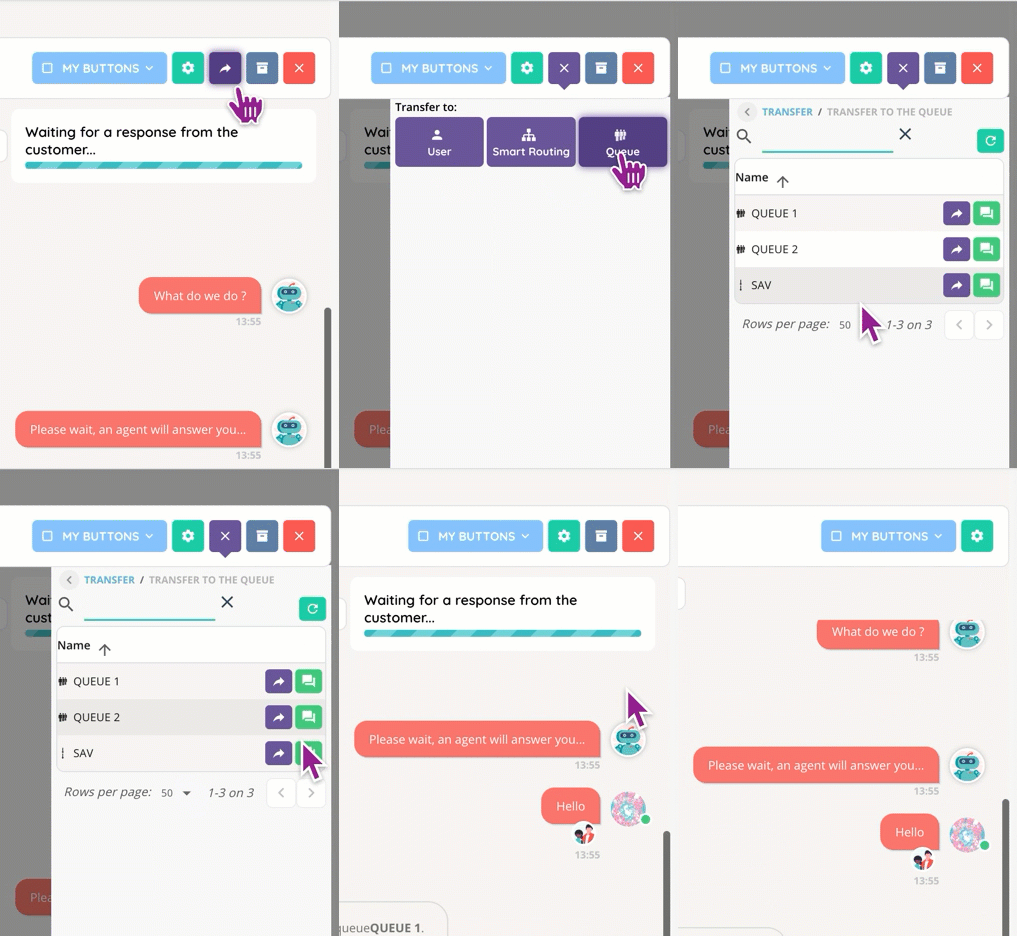
- Transfer your ongoing interaction to another agent, a queue, or a Smart routing!
Stats
Reporter
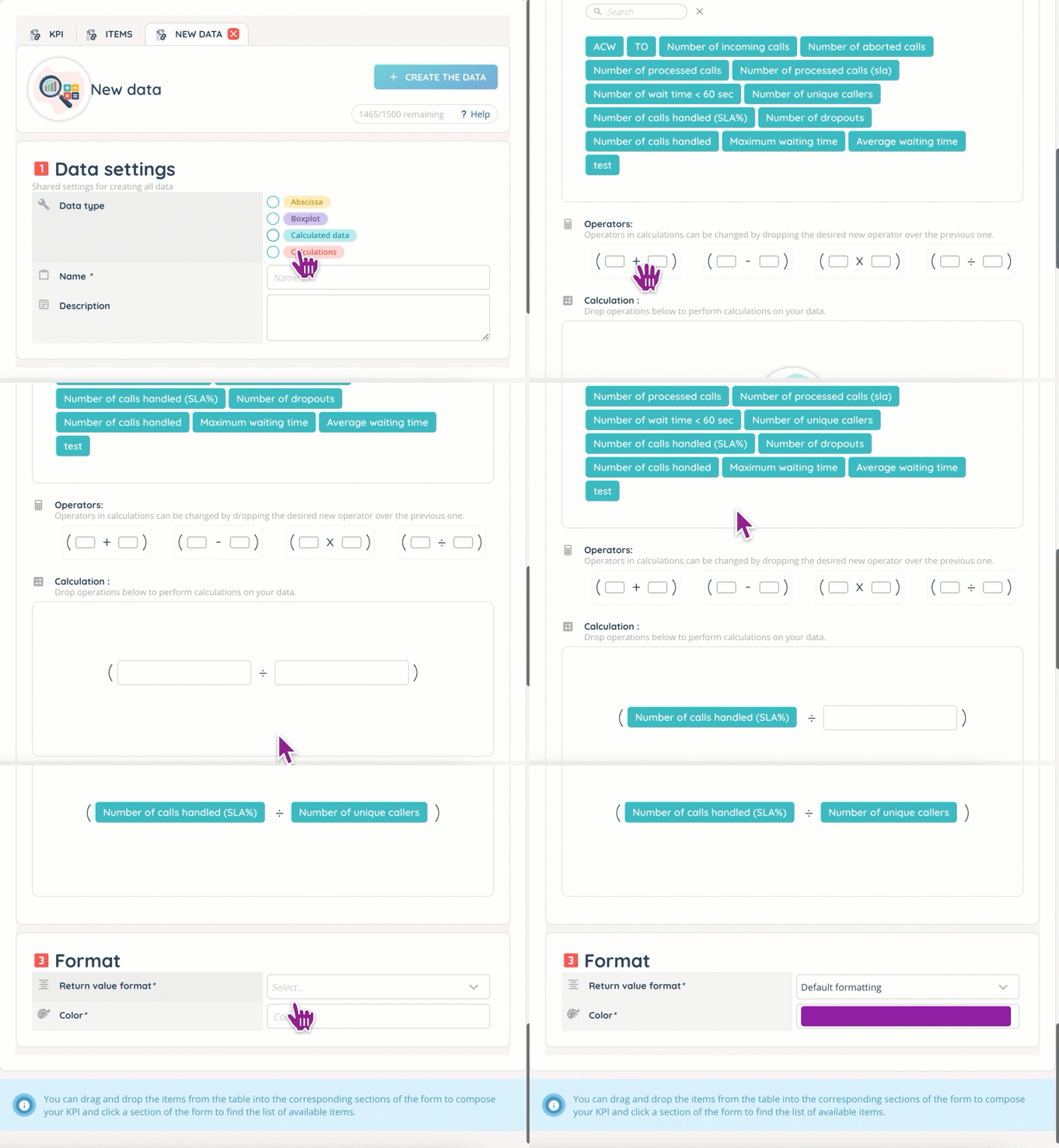
- Brand new calculated datas for better KPIs.
Additional changes
- Spam: if an email is detected as a spam, it is flagged as such. (Note: any email containing any form of malware cannot enter INO CX.)
Messaging & tools
- Each message (in messaging interactions and group conversations) now displays “seen by (user)” data.
Banner
- Personal voicemail messages can now be deleted in bulk in the dedicated tab.
- Automatic custom buttons are now available for Web Services (Smart license only).
Maker
- New profile right: collaborative. 4 options.

- New role tab: all apps, with the “My account” option (complementary to the “Users” module’s rights).
- New outgoing branches for the “Distribution to a queue” Smart routing action: treated, untreated, overflow, dissuasion by user/timeout, ID not found.
- Data import and export are now available for directories and values tables, with .CSV template files.
- Webhook connection test is now similar to the Web Service one.
- More API routes for interactions (accept, end, start/cancel/release transfer, etc.) and users’ information (activities, active profile, activated channels, logout, etc.), routing (transfer rules), voice messages and case layouts.
- Special credit cards (for testing purposes only) are now available for sandbox payment modules.
- New magical inputs: distributionLifeItem.status and distributionLifeItem.distributionQueueID. There are 3 possible statuses: treated, dissuaded, canceled.
Ux
- Search by phone number (“Records” in “Quality Management”).
- Too many missed interactions: now, a new message is displayed on the screen to inform the agent that their channels are deactivated.
- More information on interaction failure displayed to user: busy, unassigned number, etc.
And some bug fixes.