

[Reading time: 2 minutes]
Overview
This article explains how to configure call recordings in INO cx. You can define access rights, enable automatic or manual recordings, and customize technical settings such as audio mode, maximum duration, repository connectors and public link generation. All recording parameters are configured in the Maker, in queues or voice campaigns.
1. Access rights
Recording access is controlled through the permissions defined in the user’s Profile.
- Administrator: Can access all recordings from every user assigned to the queues or campaigns included in their active profile.
- Manager: Can access their own recordings, as well as recordings of the users they manage.
- Agent: Can access only their own recordings.
These rights are configured in the Profile module of the Maker.
2. Configure recordings in queues
Recording behavior for incoming and outgoing calls can be defined directly inside a queue.
2.1. Automatic supervision
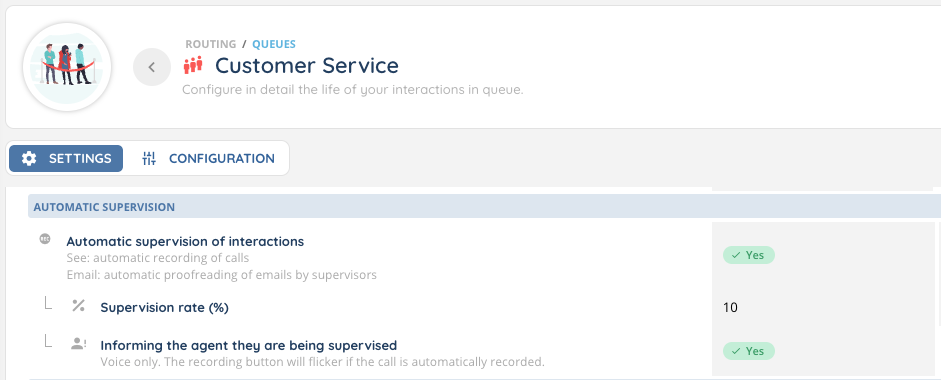
You can enable automatic supervision by configuring:
- A supervision rate, expressed as a percentage of interactions to record
- Whether to notify the agent that they are being recorded
When the notification option is enabled, the recording button blinks in the Banner during the interaction.
2.2. Manual recording
If automatic recording is not enabled, an agent can manually start a recording from the Banner at any time during the interaction (REC button).
Manual recording requires the appropriate recording permission to be enabled on the user’s profile.
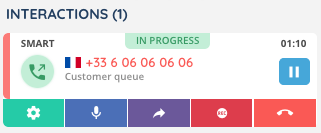
Managers can also start a recording when supervising an active call.
2.3. Recording settings
Several recording parameters can be customized for each queue:
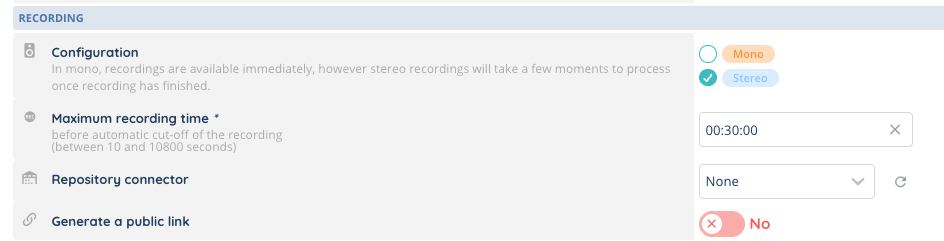
- Audio mode
- Mono: recordings are available immediately
- Stereo: recordings require a short processing time before becoming available. Stereo is also required to enable pre-recording transcription.
- Maximum recording time: limits the duration of recordings generated in the queue
- Repository connector (optional): allows storing recordings in an external repository
- Public link generation: enables the creation of a shareable link for a recording
Note: for queues configured to forward calls, public link generation is automatically disabled.
3. Configure recordings in voice campaigns
Voice campaigns include almost the same recording options as queues, with one exception: the maximum recording time is not available for voice campaigns.
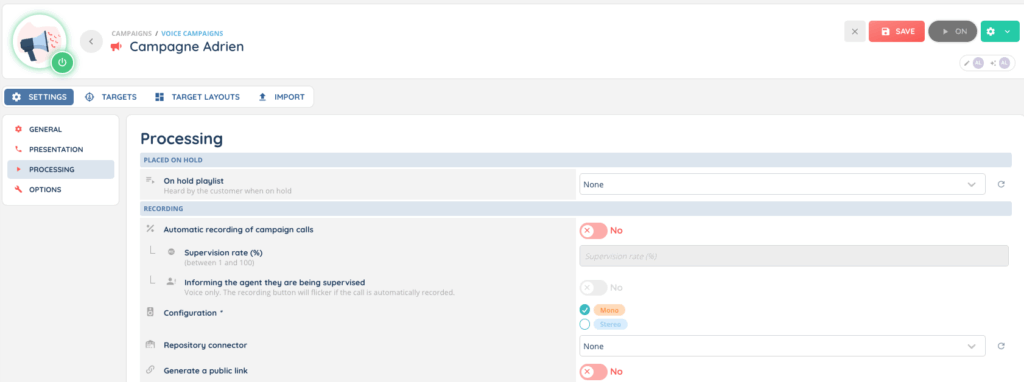
You can define:
- Automatic or manual recordings
- Mono or stereo audio mode
- An optional repository connector
- The ability to generate a public link for each recording
4. AI features in recordings
Recordings can be enriched with AI features, configured on the same distribution queue or voice campaign, in the Speech analytics section of the Maker:
- Transcription: an automatic written transcription of the conversation, with keyword and entity detection.
- Sentiment analysis: an automatic evaluation of the emotional tone of the conversation.
- AI summary: an automatically generated summary of the recording.
These features require a Smart license and AI features to be enabled for your account. Transcription (pre-recording mode) also requires the recording to be in stereo.
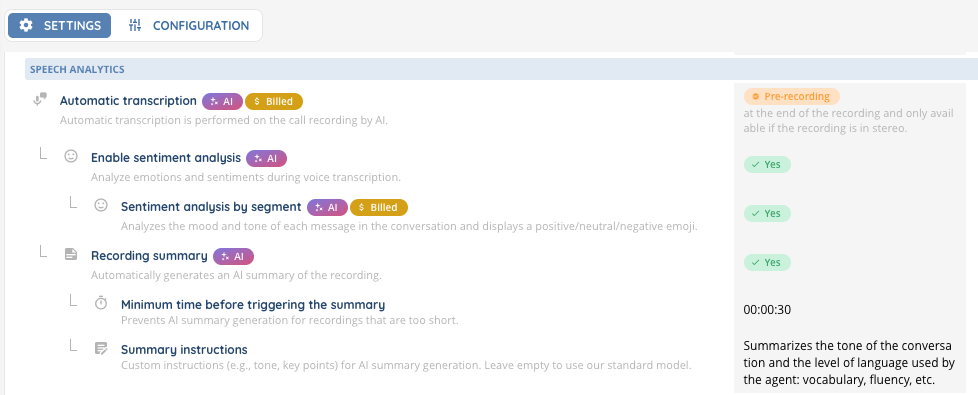
Each feature is enabled independently and described in its own article:
Now you can use them in the Banner !