
[Reading time: 2 minutes]
Overview
The Authentication methods module in the Maker allows you to configure authentication methods that can later be reused in different parts of INO cx.

Authentication methods can be used in the following modules of the Maker:
- CRM v2 (for integration-type CRM v2)
- SSO (for OAuth2-type SSO)
- Status syncs
Access rights
To access the Authentication methods module, the corresponding right must be enabled in the user’s role.
Within the role, the following rights can be configured:
- Creation
- Modification
- Deletion
Authentication methods list
The main view displays the list of all authentication methods already created. For each method, the following information is shown:
- Name
- Integration type
- Mode (always OAuth)
- Status (Enabled or Disabled)
- Environment (optional)
- Client ID
Next to each method, you will find several action buttons:
- ⚙️ Cogged wheel icon: duplicate, view dependencies, or view the history of changes
- ✏️ Pencil icon: edit the method
- 🗑️ Trash icon: delete the method
⚠️ The total number of authentication methods is limited to 50. If you reach this limit, you will not be able to create a new method and an error message will appear.
Creating a new authentication method
To create a new authentication method:
- Click Create in the top-right corner.
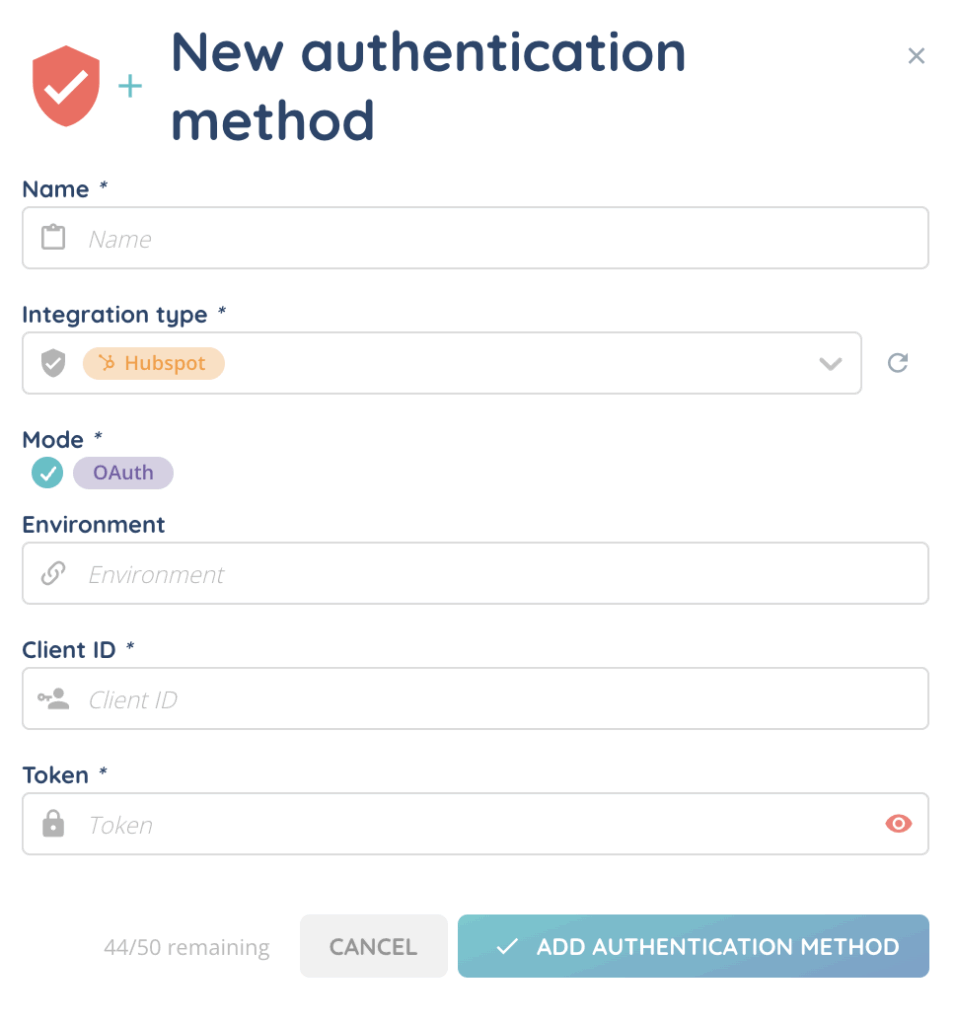
- Fill in the following fields:
- Name: enter a name for the method.
- Integration type: select the external system (Hubspot, Salesforce, Zoho, Zendesk, MSO, etc.).
- Mode: this field is always set to OAuth.
- Environment (optional): enter a value if needed.
- Client ID: enter the client identifier.
- Token: enter the token. This value must be provided by the client.
- Click Add authentication method to save.
📌 When duplicating an existing method, all fields are copied except for the Token, which must be entered again.
Managing authentication methods
- Enable / Disable: you can manually enable or disable a method.
- Edit: allows you to modify the method’s parameters.
- History: accessible from the cogged wheel icon, it displays the list of modifications (creation, changes, etc.).
- Dependencies: also available from the cogged wheel icon, it shows which modules currently use the method.
use it!
Now, you can use your authentification method in:
- CRM v2 module
- SSO module
- status syncs module