Overview
These tools are available to any user with an Essentials or Smart license. Here we will introduce and explain each of them.
Direct call
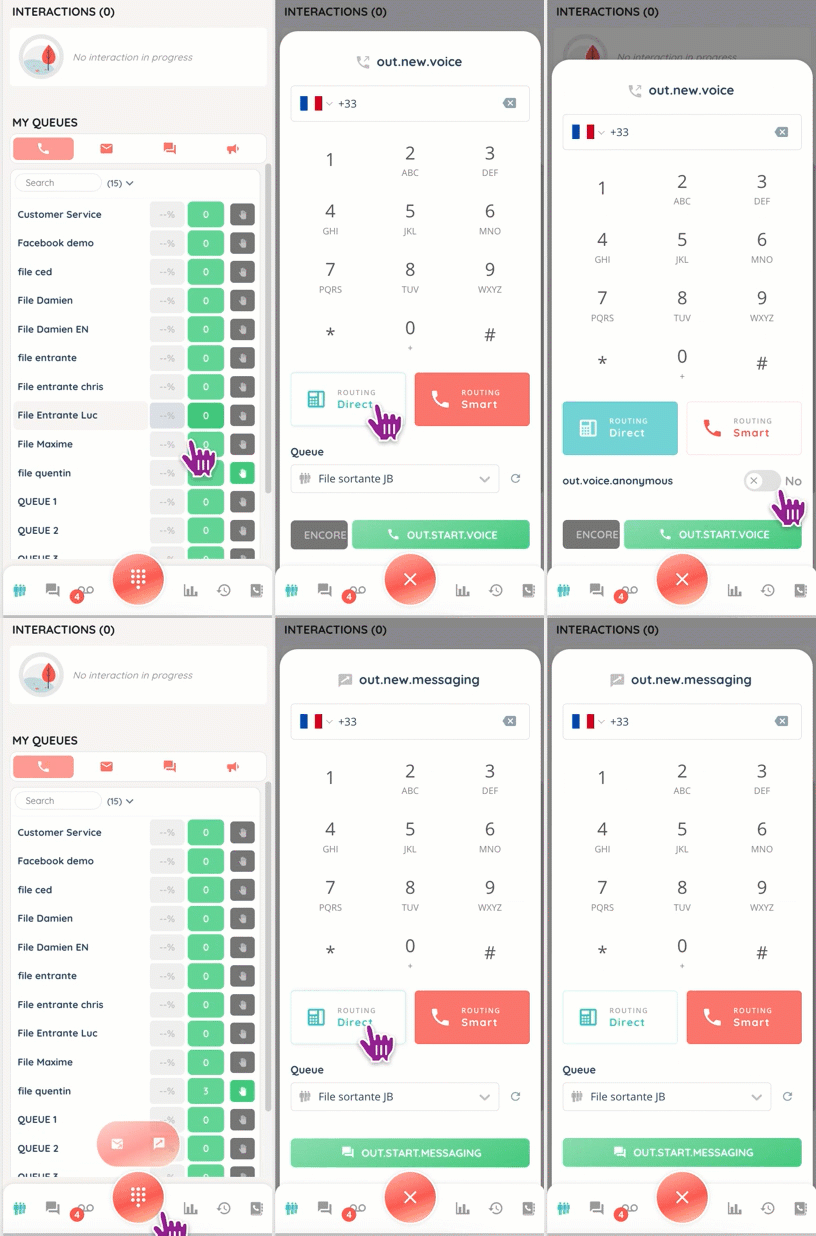
Only accessible if the user has the right to the voice channel, it allows a phone call to a colleague, a superior, or to an external party.
Unlike a smart call, its functionality is limited: no recording, for example.
Direct chat
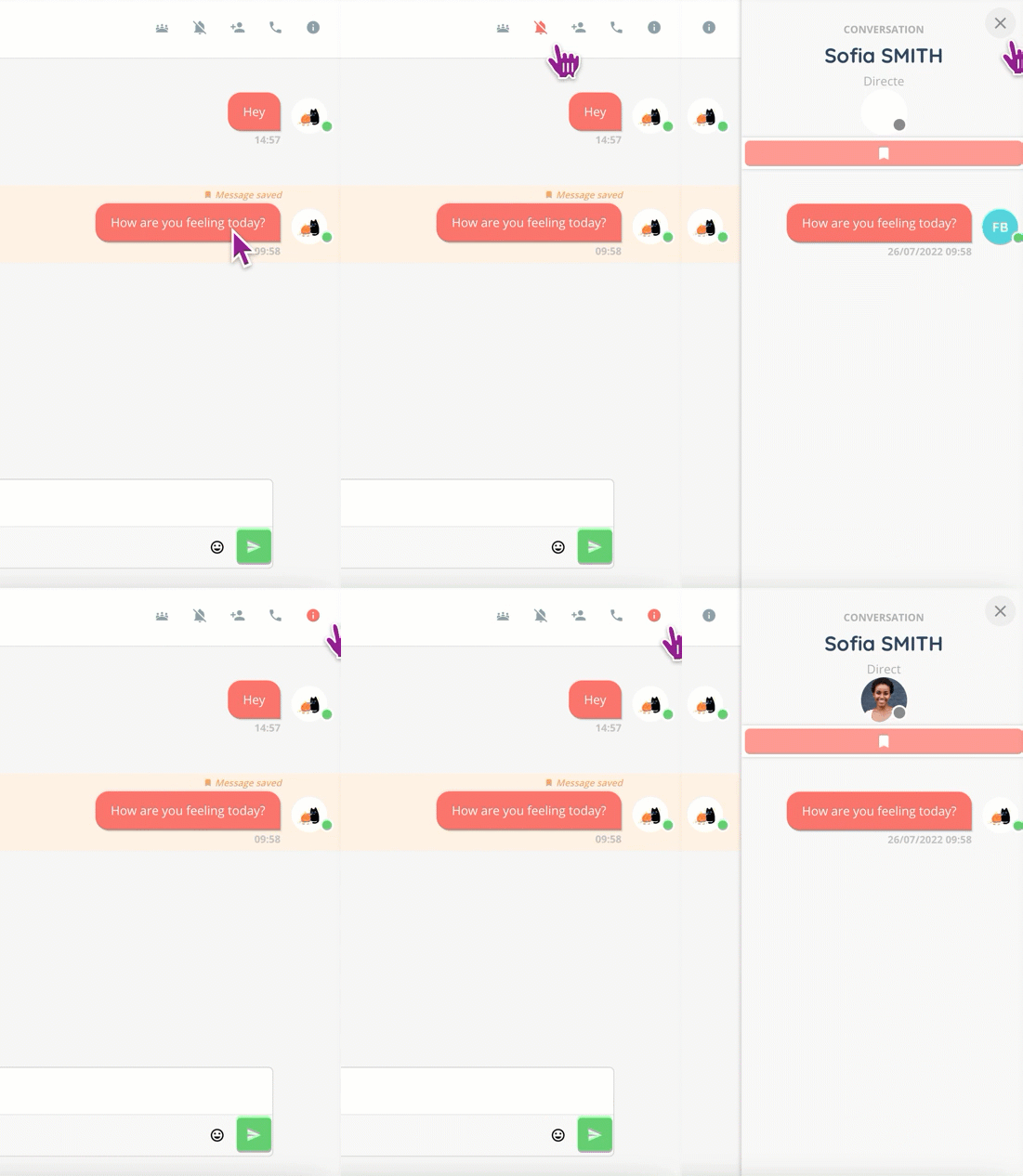
The chat appears in the conversation tab of the mini screen, and a notification alerts the agent to messages waiting to be read.
The interface is similar to applications such as Slack, with time-stamped messages, reactions and emojis. However, as on Slack, messages before a certain date are automatically deleted. You can save them for future reference via the “Information” button at the top right of the conversation.
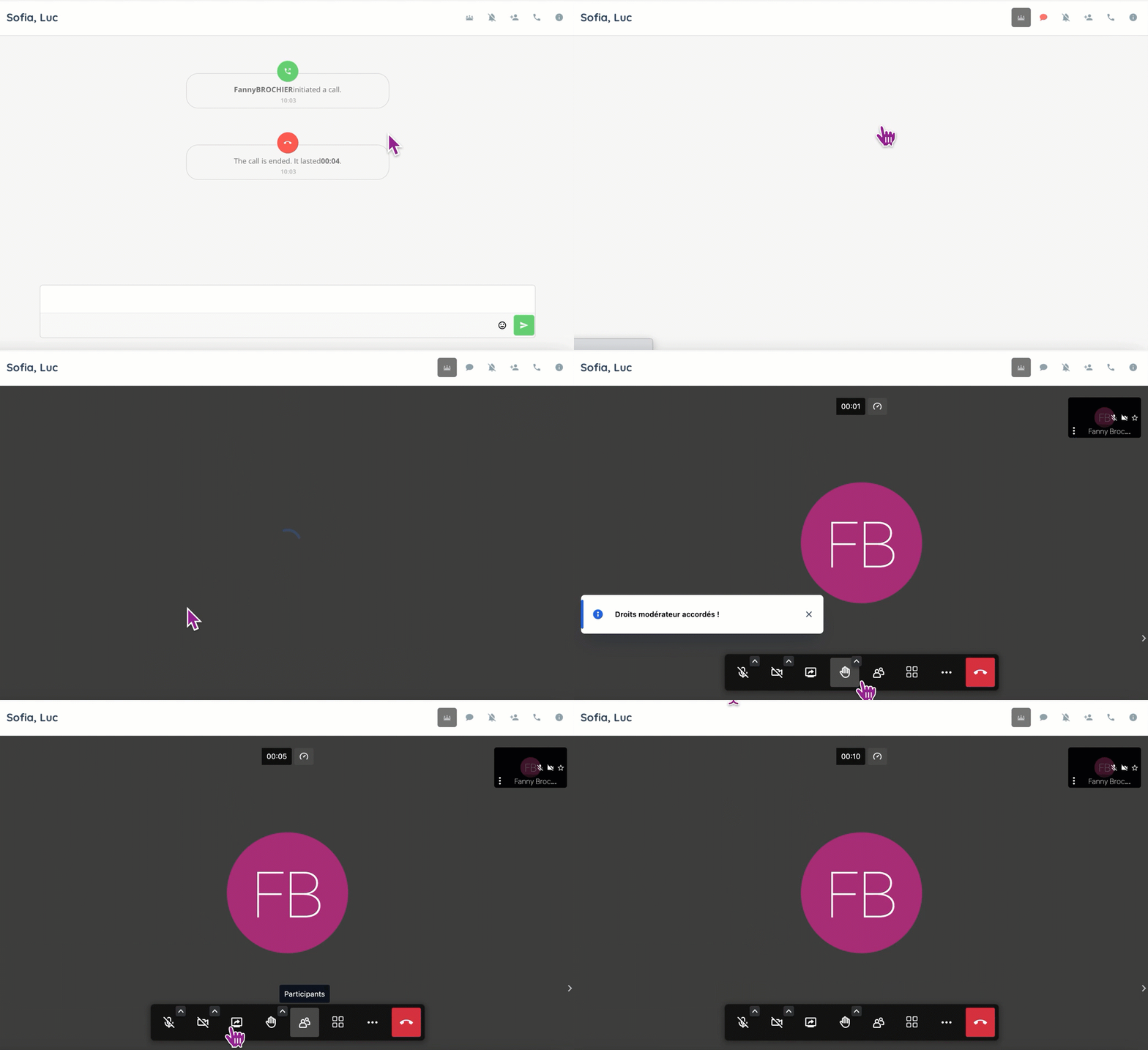
Direct calls will also appear in the chat.

Group Chat
The group discussion works in the same way, except that you can have up to 15 participants.
Video call
You can initiate a video call from a direct or group conversation, the participants will be notified of the call and (maybe) join it.