[Reading time: 2 minutes]
Overview
The Voice mailboxes module in the Maker allows you to create and manage voicemail boxes used in your Smart Routings. From this module, you can configure welcome messages, retention rules, notification settings, and repository options. Existing voicemail boxes can also be modified, duplicated, or deleted depending on your permissions.
This article is about smart voicemail, meaning messages left by customers through smart routing.
Be careful not to confuse this with direct voicemail messages, which are accessible in the small banner and concern direct calls configured in “My Account.” These are covered in another article.
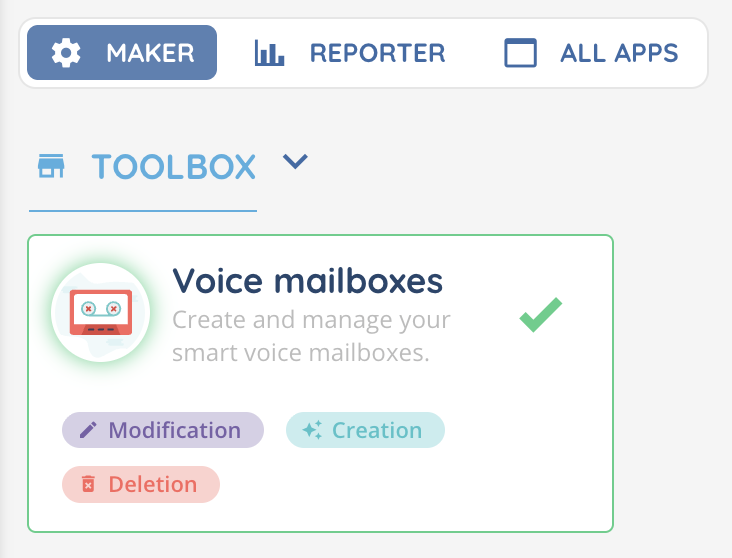
Note: Permissions are managed on the Maker, in the role (modification, creation, deletion).
1. Accessing the Voicemail module
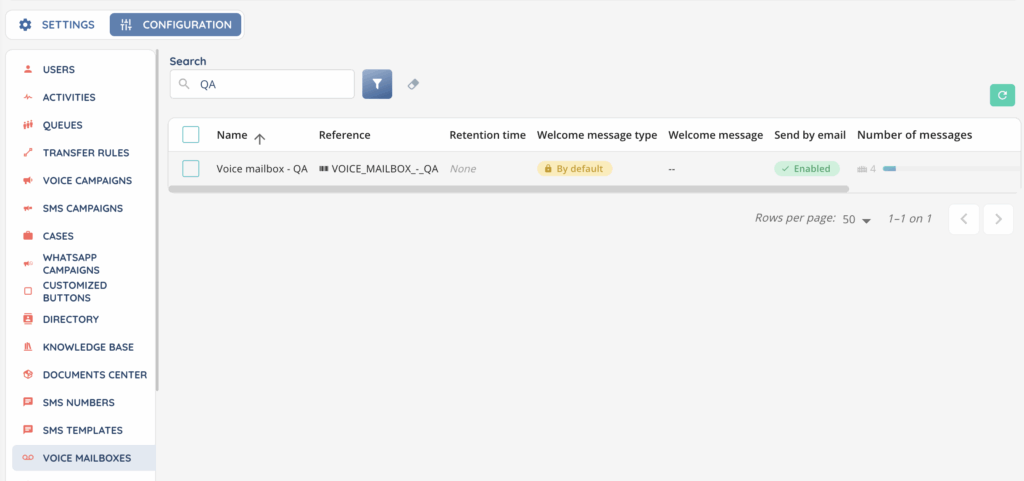
In the Maker, open the Voicemail module to view the list of all voicemail boxes already created in your environment.

2. Searching and filtering
You can search voicemail boxes using the following criteria:
- Name
- Reference
- Tags
3. Voicemail list
The list displays all existing voicemail boxes with the following columns:
- Name
- Reference
- Retention time (By default / By days / Customized)
- Welcome message type
- Welcome message (Listen to the message if it is customized)
- Send by email (Enabled / Disabled)
- Number of messages ( …/50)
- Repository connector
- Information button
- Cogwheel button: Duplicate, History, See dependencies, Tags
- Pencil button: Modify
- Trash button: Delete (only if not greyed out)
At the top of the page, the Create button lets you add a new voicemail box.
4. Creating a voicemail box
Select Create and fill in the following fields:
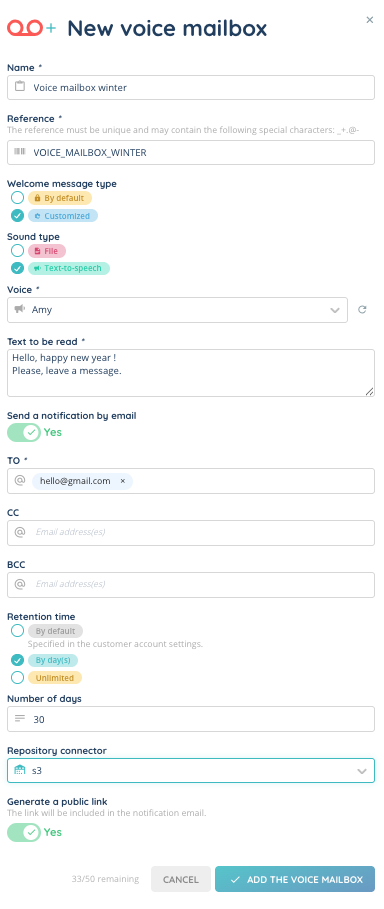
Name
Enter the display name of the voicemail box.
Reference
Define the technical reference used in Smart Routing configurations.
Welcome message type
Choose how the welcome message will be generated:
- By default
- Customized
- File upload: Add an audio file following the audio requirements
- Text-to-speech: Select a voice and enter the text to be read
Send by email
Choose whether a notification email should be sent when a voicemail is left, and specify one or more recipient email addresses.
Retention time
Define how long messages are stored:
- By default (uses the value defined in the client account settings)
- By days (select the number of days)
- Unlimited
Repository connector
Select a repository connector if you want to store messages in an external repository.
Public link
Choose whether a public link should be generated for the voicemail box.
5. Using a voicemail box
Once the voicemail box is created, you must integrate it into a Smart Routing through the dedicated action.

To allow advisors to access the voicemail box from the Banner, make sure it is added to the appropriate Profile in the Maker.