
Overview
Once included in a Smart routing, surveys allow you to collect your customers’ opinions: how did their last call go? Did the chat meet their needs? Was the response time by email from customer service satisfying?
Here we will see how to create a survey and include it in a Smart routing (voice and messaging).
Prerequisites
- Sound file(s), if you need to use them.
Configuring
Creation
Surveys are created in the “Toolbox” sub-module of Maker,
Adding questions
Surveys take the form of a tree in which you can add two types of questions, and organize them into branches.
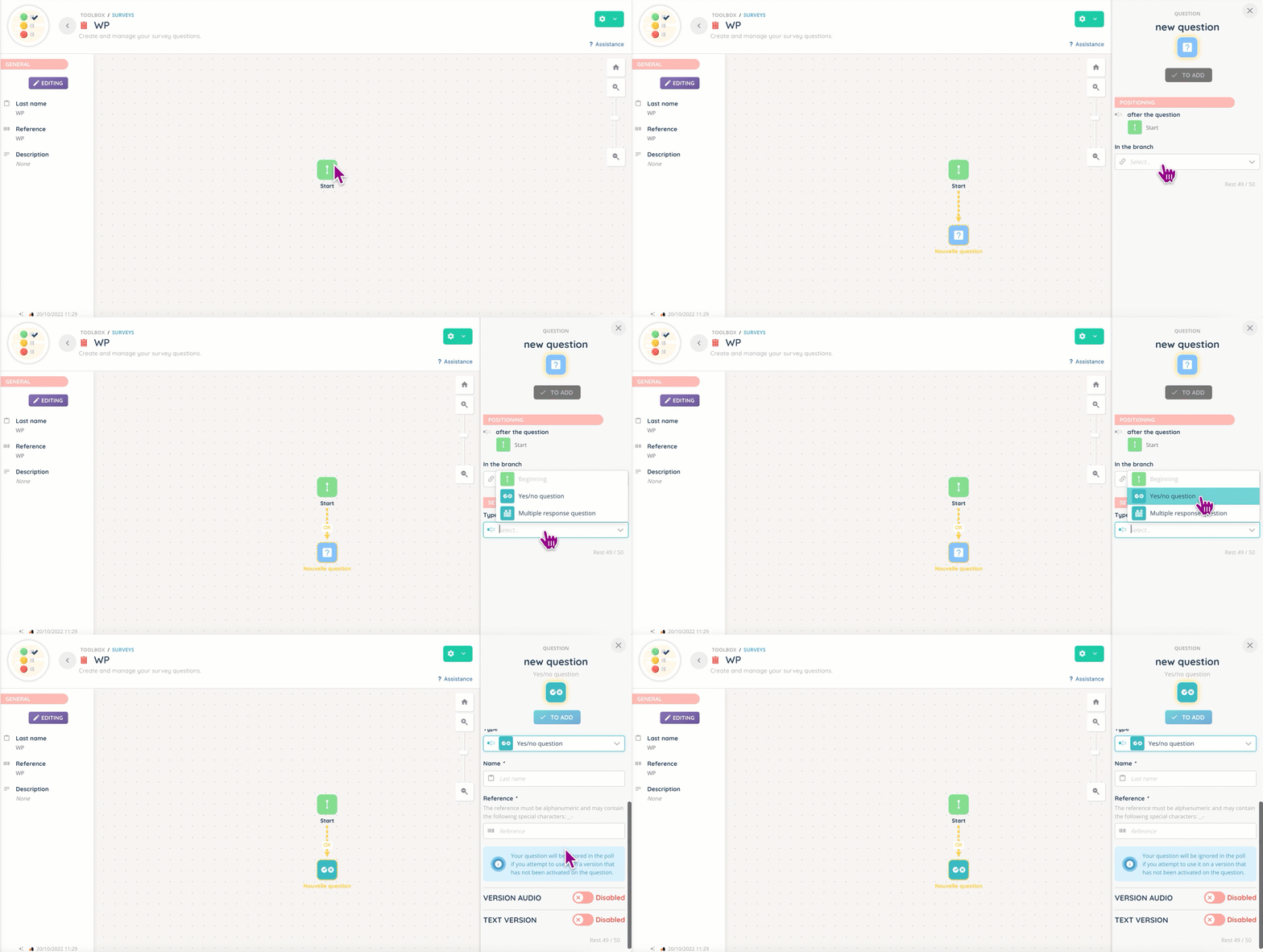
The two types of questions are:
- Yes/No question: a binary choice, for which you can include a text-to-speech version.
- Multiple response question: for more varied answers. Here again, you can have a text and audio version of your question.
You can include only one type of question or a mixture of both, depending on your needs.
Smart routing action
Once your survey is created (and completed!), you can use it in a Smart routing with its dedicated action (voice + messaging).
You can add your survey by selecting it in the menu or via its reference.

Tips
As with scripts, you can link two actions with a click.
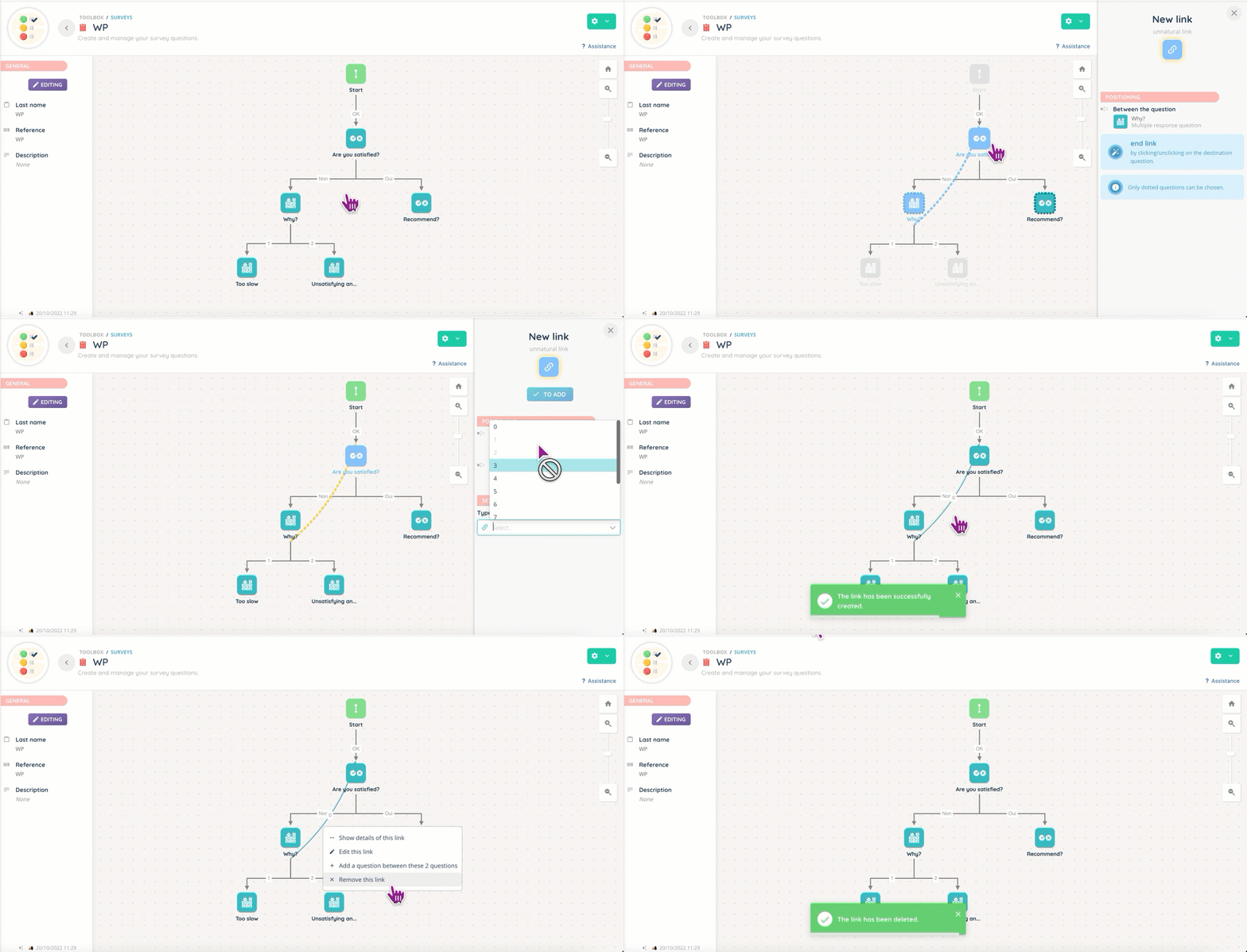
Preview
This is what a survey can look like in the Maker.

Use case
My request: I want to create a survey to know if my clients are satisfied after our last marketing campaign, what they disliked, and what they would want us to do in the next one.
Step-by-step process:
- Open the Maker.
- Go to “Toolbox”, then “Surveys”.
- Create your survey, and open it.
- Click on “Start”, and add your first question.
- Since you want to know if your customers are happy, the 1st question will be a “Yes/No”.
- For the “No” outgoing branch, add a question with multiple answers.
- For the “Yes” outgoing branch, add a “What can we do to improve our next campaigns?” question, and link the other to it (see gif below).
 Add your survey to the voice/messaging Smart routing of your choice.
- Congratulations 🎉!
Frequently asked questions
- Can I change the survey in my Smart routing?
- Yes, immediately if your Smart routing is not in Test mode. If it’s in production, you will have to duplicate it, change the survey, and then put the newest version in production.