
Overview
Tags are exclusive to the Maker and allow you to group and filter several entities in the same submodule: you can use them to find your Smart routings associated with a certain client, for example.
They are not to be confused with interaction tags.
Prerequisites
- None.
Configuring
Tags are created and used in the Maker, in the “Toolbox” module.

Once your tag is created, you can use it immediately.

You will then be able to add them to the items of your choice with the settings button. You will always find it before the edition violet button.

You can also see every item associated with your tag by opening it in the Maker.

Some Maker sub-modules also require you to enter a tag at creation, but these are tags that are exclusive to this content, which you won’t find elsewhere.

Preview
This is how you link a tag to an item.
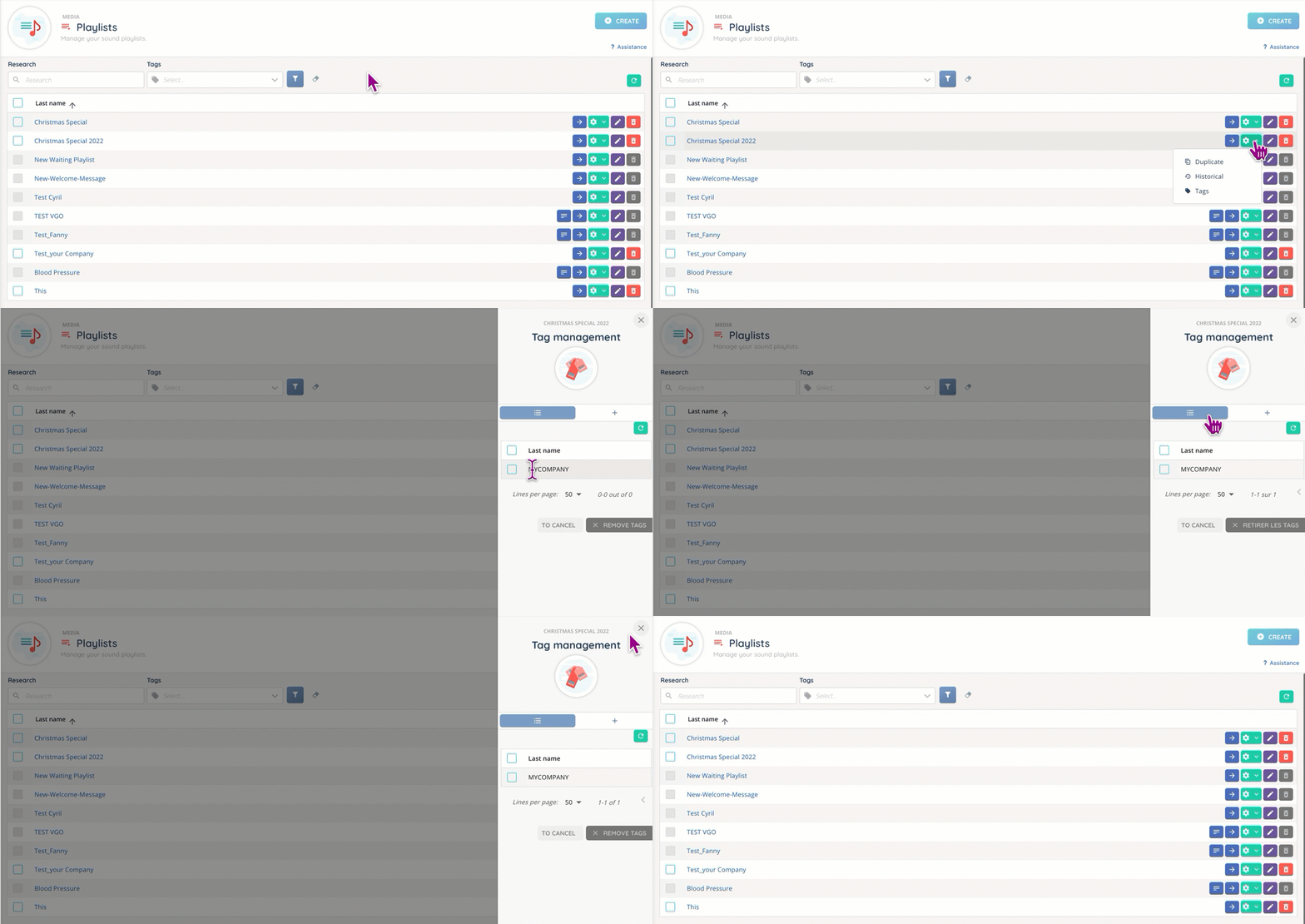
As previously stated, only the tags present in the side panel opened with the settings button are the toolbox’s.