
Overview
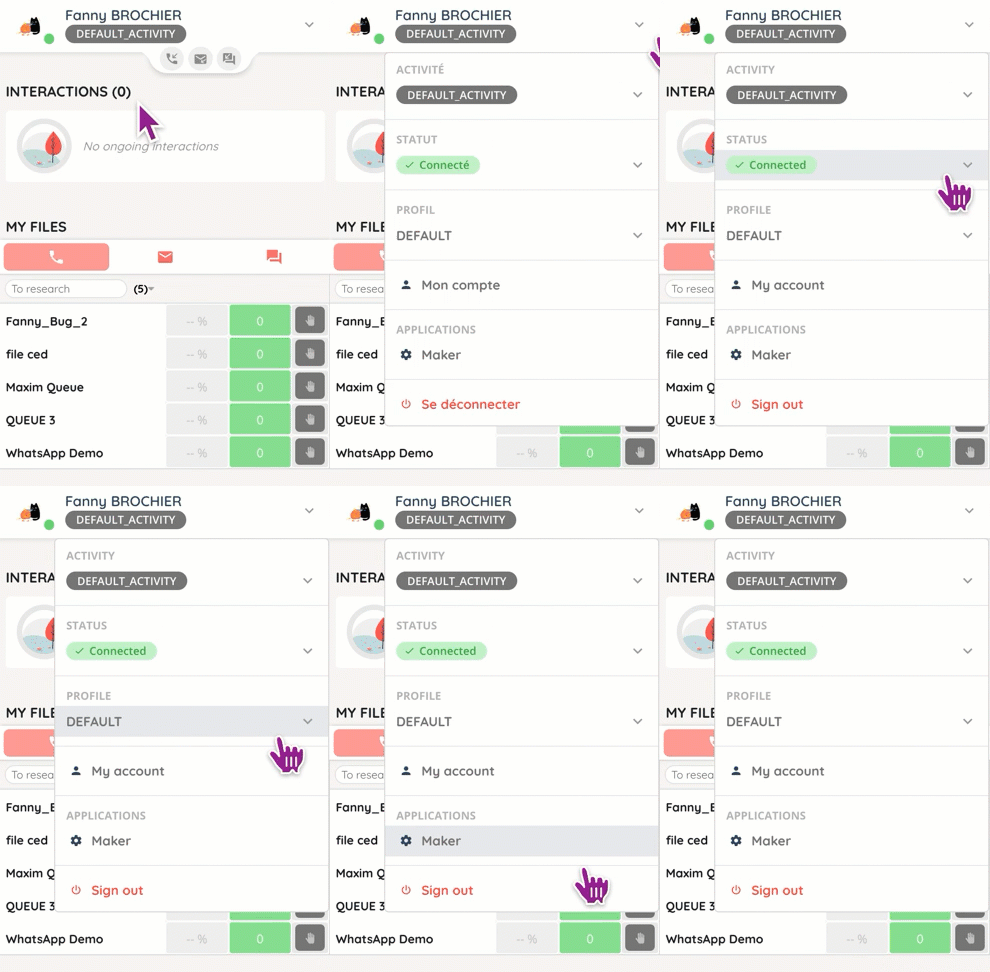
If you click on your user drop-down in the banner, you will see several headings: activities, status, profile. What are we talking about?
- Note: all three are set up in the Maker.
Activity
The is linked to the contact center as well as to the channels’ activation.
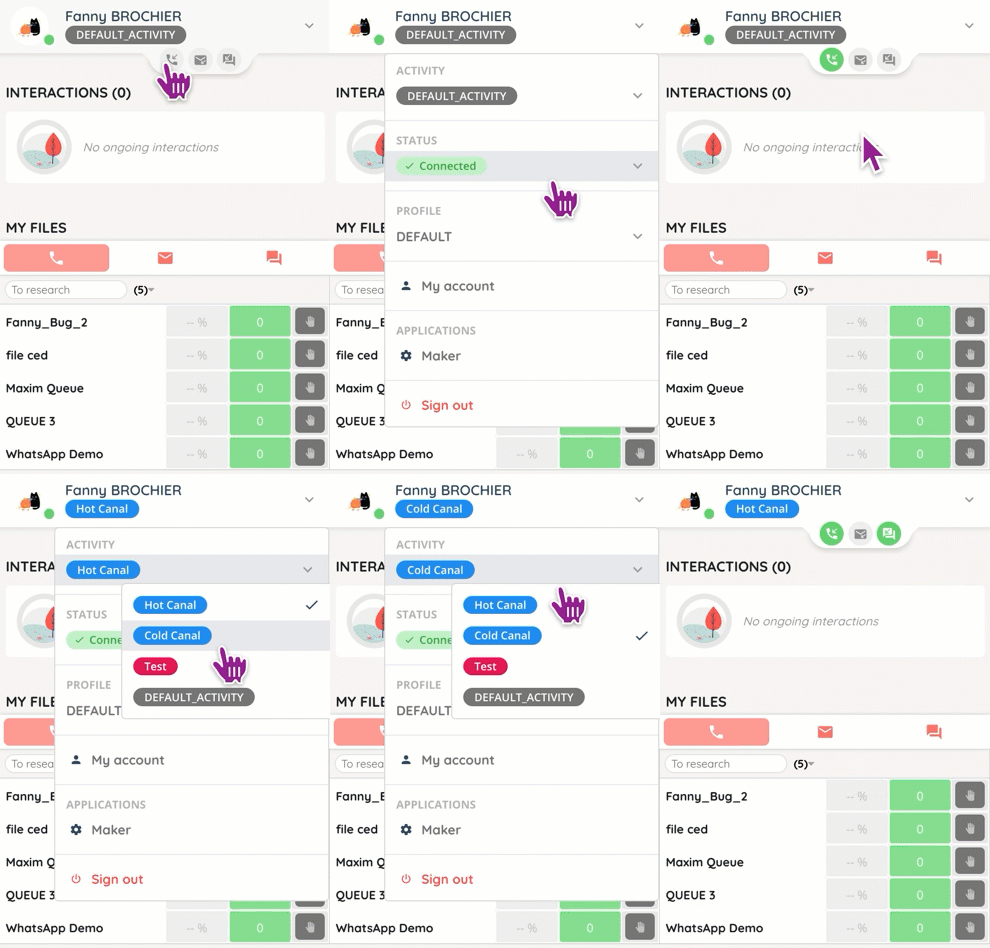
- Note: if there is a conflict between the activity and the profile (example: voice+mail channel in the activity, mail only in the profile), the profile rights will be applied.
Status
The status is used internally, with your colleagues: it allows you to inform them that you are available, busy, in training, etc.

Profile
The profile refers to the skills and interactions. For more information, see the dedicated article.
- Note: the profile also determines whether you can activate and/or deactivate your channels.