

[Reading time: 1 minute]
Overview
The platform in a call center refers to the physical space where agents or call center representatives are grouped. The platform is organized to streamline communication, management, and performance tracking.

The “platform” feature allows the Supervisor to visually display the layout of connected agents, using a grid system.
You can set up this feature in the Maker’s toolbox module, then manage the agents of the platform in the Banner.
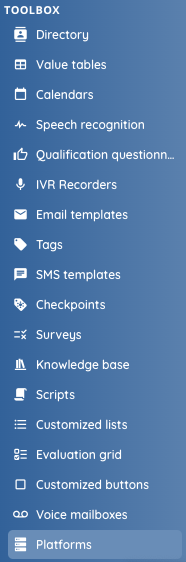
Prerequisites
In order to allocate agents within the platform, each agent must have his own user already created.
Configuring (Maker)
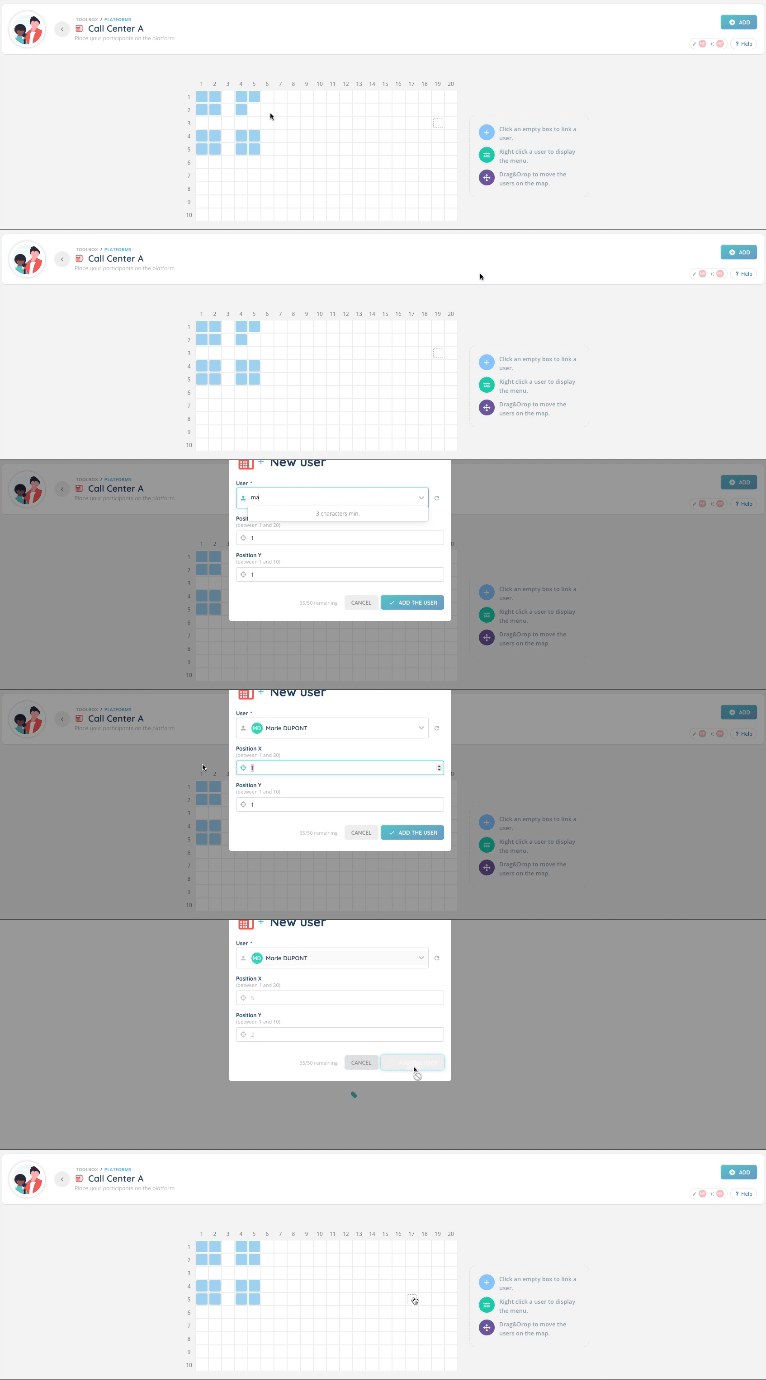
You can manage several platforms at the same time. Start by creating a platform by clicking on “create” and giving it a name.
Note: You cannot name 2 platforms with the same name.

Open your previously created platform, then add as many agents as there are in your call center platform. You can place your agents according to their actual position in the office. A drag-and-drop system makes it easy to move an agent.
Giving access (Maker)
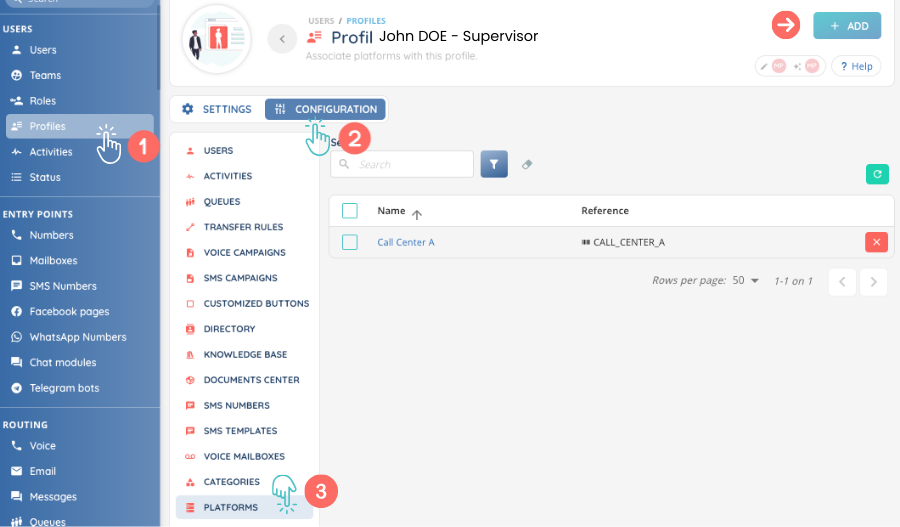
Before you can use your platform as a supervisor, you will need to add rights to the corresponding profile.
Make sure you add the platform you have just created, as shown below:
Preview
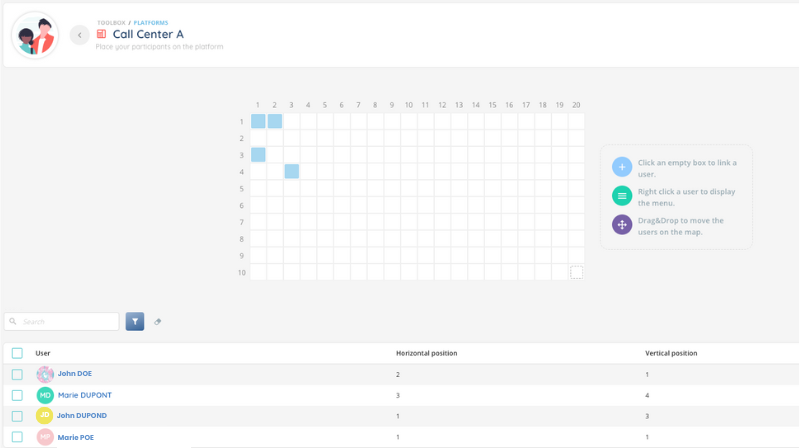
Once the configuration is complete, the supervisor should have an overview of the layout of the agents on his platform.
He will also be able to access the list of agents, with their position according to the abscissa (horizontal position) and ordinate (vertical position).
The Supervisor is now ready to manage his platform in the Banner!