

Overview
Distribution groups allow you to group and prioritize your queues and then establish your transfer rules or use it in a Smart routing. In this article we will see how to create and configure them according to your needs.
Prerequisites
- The queues you intend to use.
Configuring
The distribution groups are created in the Maker, in the second tab of the queues.

Creation
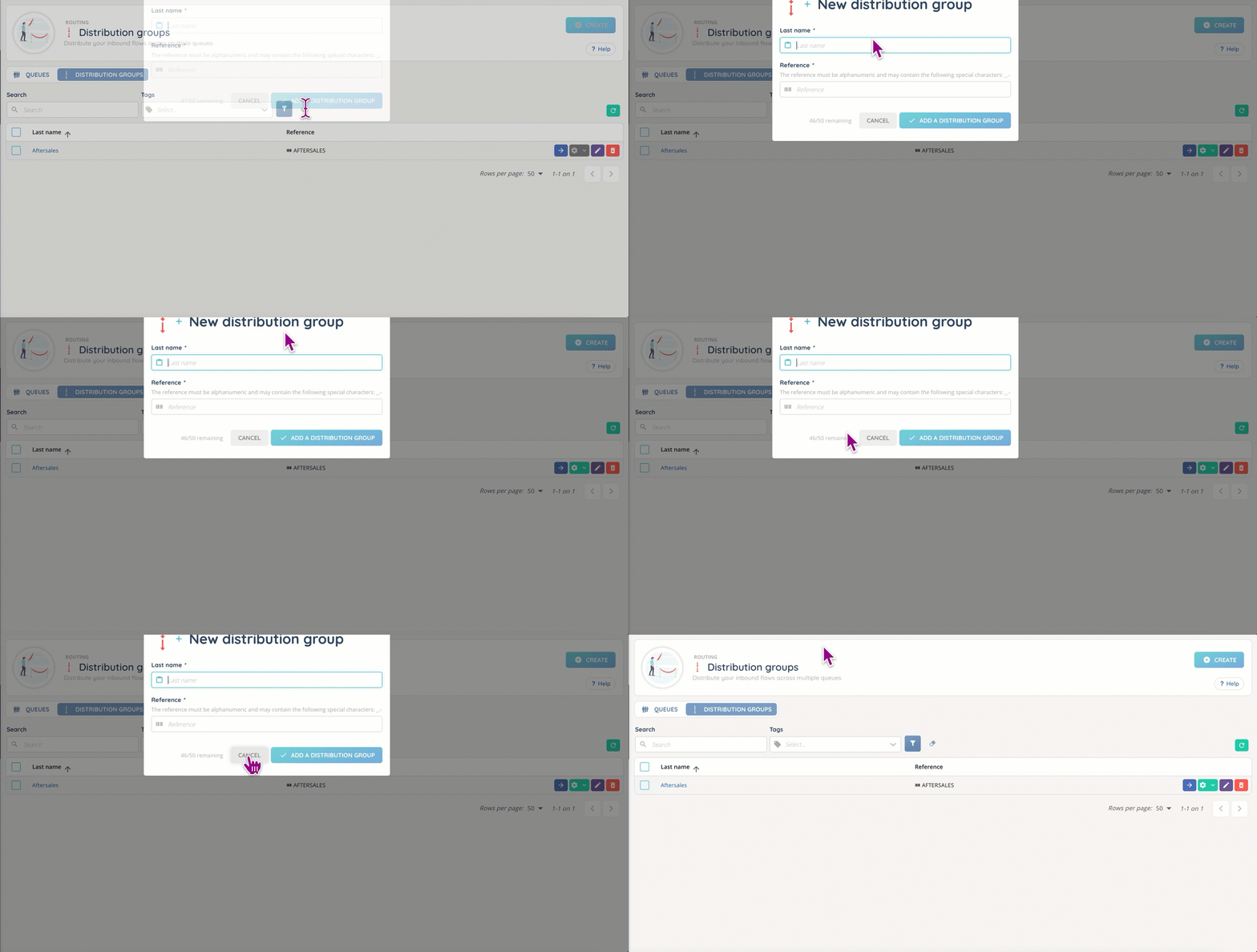
First, you’ll have to create your distribution group, with its name and tag (see the dedicated article).
Adding queues
Once your distribution group is created, you can add up to 50 queues to it, always following the same rule: each queue has a certain weight, and the sum of the queues’ weights must equal 100.
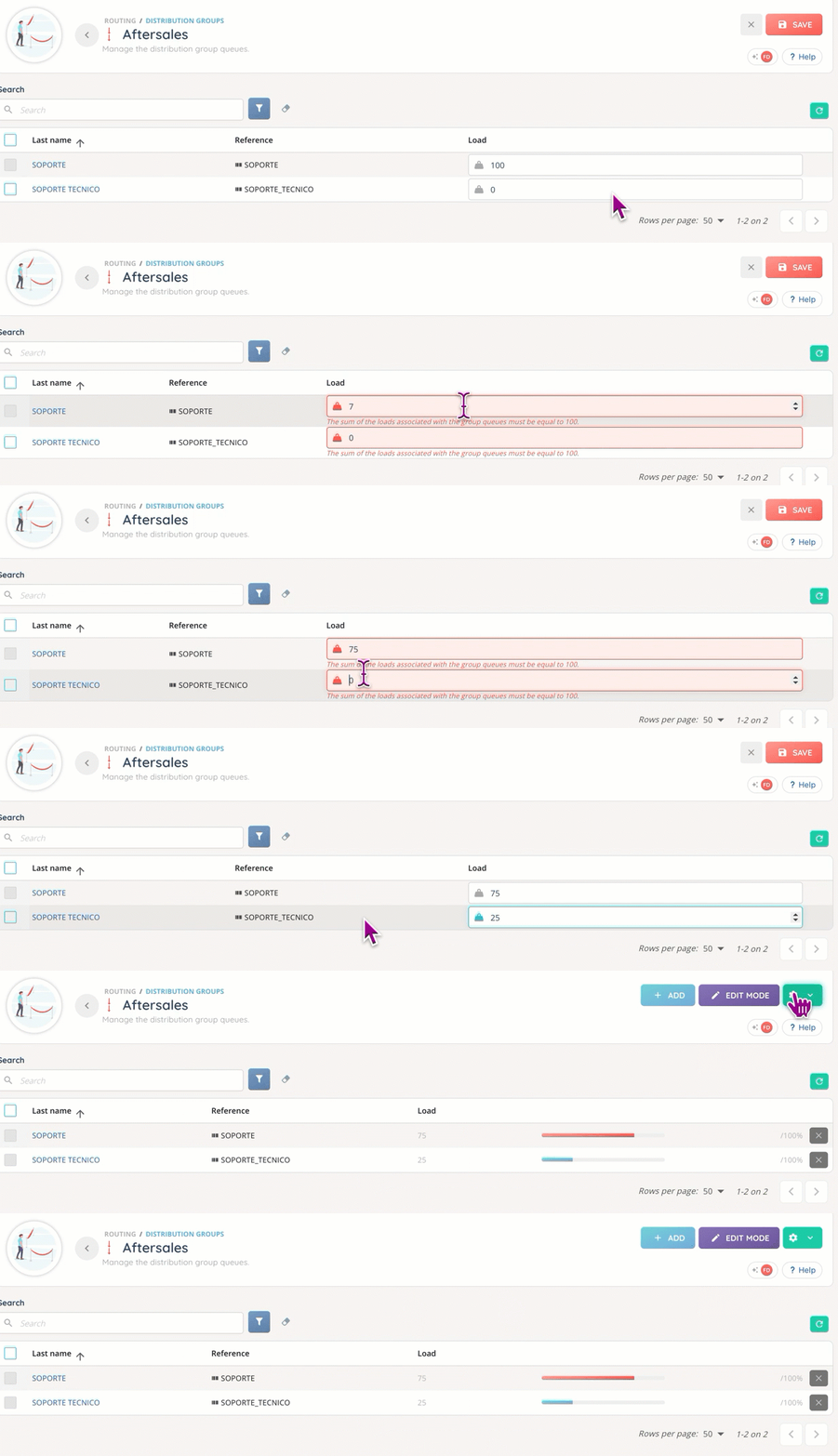
The weight of each queue will determine its importance: the higher the weight, the higher the priority.
Once it’s done, you can use this with your transfer rules, or in a Smart routing.
Smart routing
A distribution group can be used instead of a queue with the “Distribution to a queue” action of a Smart routing.
For more details, see the dedicated article.
TIPS
- The weight of each queue can be modified at any time.