
[Reading time: 2 minutes]
Please consult this article “Administrator (Admin) – Set it up” if you need to know what an administrator is, how to configure one, and the rights associated with this user in the Maker.

Overview
The Banner application in INO cx grants specific rights and functionalities to administrators. This article outlines the capabilities of administrators, based on the following principle: an administrator bypasses team-based limitations but remains subject to restrictions related to their active profile.
⚠️Important: The rights granted by the license type (Smart or Essential) take precedence over the administrator status.
Basic principles
The administrator has extended functionalities without team limitations.
However, in the Banner, restrictions tied to the active profile still apply.
The license (Smart or Essential) determines access, and its rights override those of the administrator role.
The affected modules are:
-
- My Colleagues
- Supervision
- Quality Management (QM)
- Cases
- Interaction history
- Statistics
The Click2Call API is also affected
Granted rights for the admin in the Banner
1. My colleagues
The administrator has access to all user records and their associated tabs:
-
- Interactions
- Recordings
- Evaluations
- Sessions
2. Real-time supervision
The administrator can:
-
- View all users.
- Use all supervision functions:
- Enable/disable flows
- Change profiles/activities
- Disconnect users
- Use discreet listening
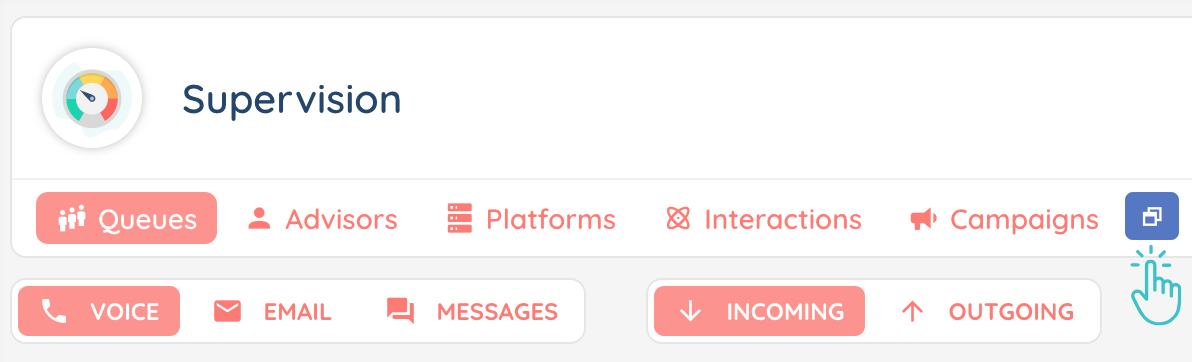
Active profile restrictions (queues, voice campaigns, flows, etc.) still apply: he will only see queues associated with his active profile
3. Quality Management (QM)
➡️ Recordings
The administrator can view all recordings from users in queues and campaigns tied to their active profile.
➡️ Evaluations
Access to evaluations of all users for the grids tied to the active profile.
➡️ Qualifications
The administrator has access to all qualifications.
➡️ Surveys
Access to surveys tied to the administrator’s active profile.
➡️ Scripts
The administrator can view scripts for queues, flows, and voice campaigns tied to their active profile.
4. Cases
The administrator can access all cases, regardless of the owner.
5. Interaction History
The administrator can view:
-
- All direct interactions.
- Smart interactions for queues tied to their active profile and flows they have access to.
6. Statistics
The administrator can view the entire content of the “Interaction activity per advisor” tab.
They are limited to their active profile’s queues in the “Interaction activity per queue” tab.
7. Click2Call API
The administrator can use the Click2Call function (API) without team-related restrictions.