

[Reading time: 2 minutes]
Overview
The Knowledge base and the Document center are two resources available directly from the Banner. They allow agents to access useful documents, browse internal knowledge, and insert content into their interactions.

Both tools are accessible from any module of the Banner through two dedicated buttons displayed at the top of the interface.
1. Document center
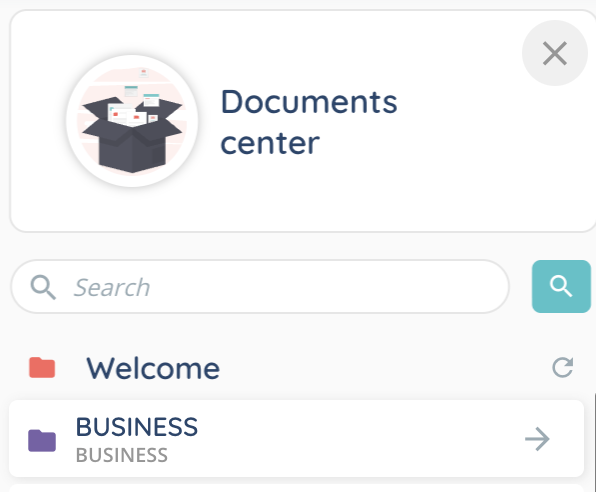
Click the Document center button in the Banner to open the list of available folders and files.

1.1. Search bar
A search bar is available at the top of the panel to quickly find items. The search applies to both folders and files.
1.2. File types and actions
The Document center can contain:
- Folders

- Files stored directly at the root (not inside a folder)
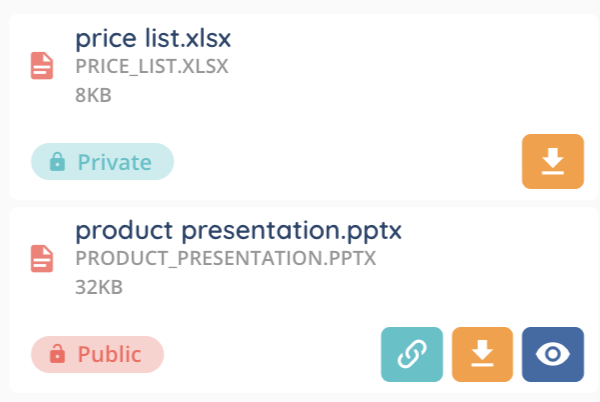
Available actions depend on the file’s visibility:
- Private files: can be downloaded only.
- Public files: can be downloaded, opened in a new tab, or shared through a public link.
1.3. Sharing a document in a collaborative conversation
When you are in a collaborative conversation (internal conversation with one or more INO cx users), you can attach a document directly from the Document center.
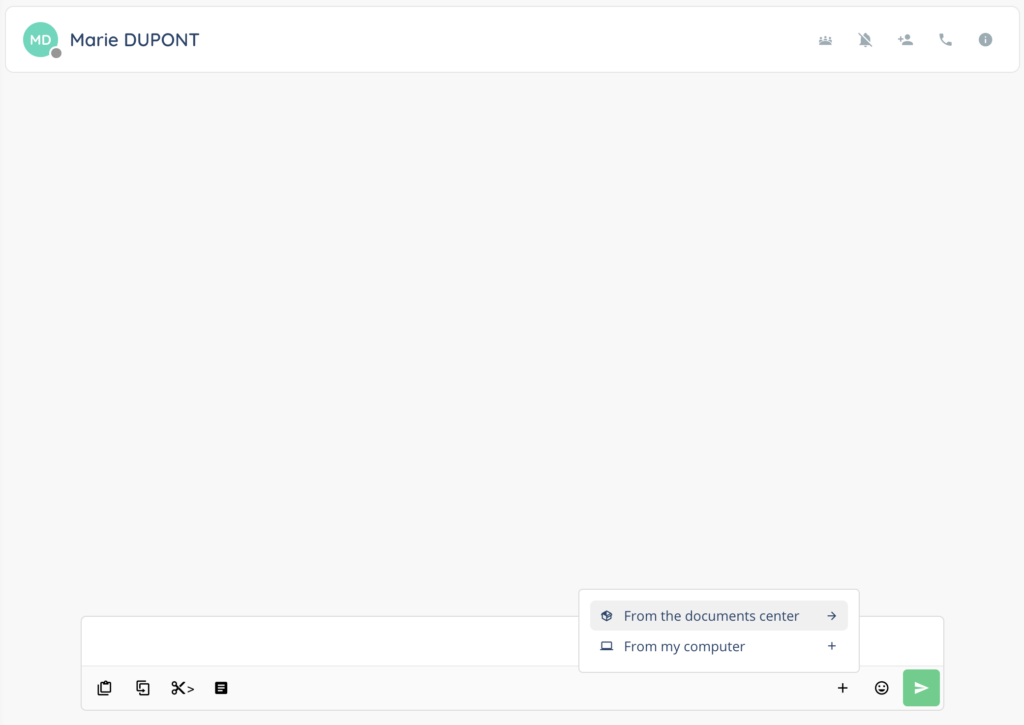
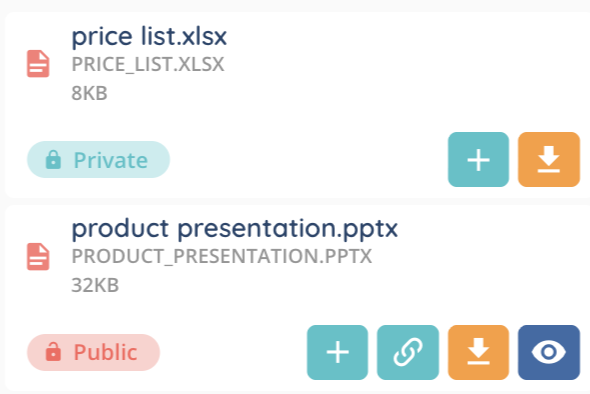
Opening the Document center in this context displays an additional + button that allows you to add the selected document to the conversation.
1.4. Profile-based access
The content of the Document center depends on your active profile. When you switch profiles, the list of accessible documents updates accordingly.
2. Knowledge base
Click the Knowledge base button in the Banner to browse internal articles and templates.

2.1. Search bar
A search bar helps you find items quickly.
2.2. Actions available during an interaction
During an interaction, two actions are available to agents:
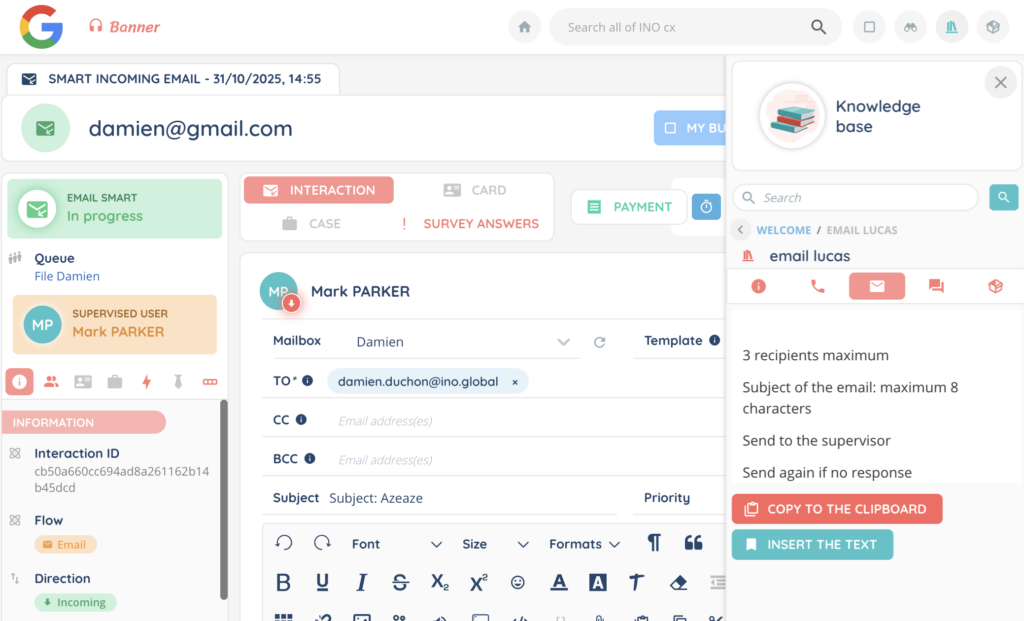
- Copy to the clipboard: copies the selected text so you can paste it where needed.
- Insert the text: automatically inserts the selected text into the interaction.
For example, during an email interaction, you can open an email template stored in the Knowledge base and insert it directly into the message body.
2.3. Adding documents from the Document center
A file stored in the Document center can be added to the knowledge base and then used in interactions directly from the knowledge base.
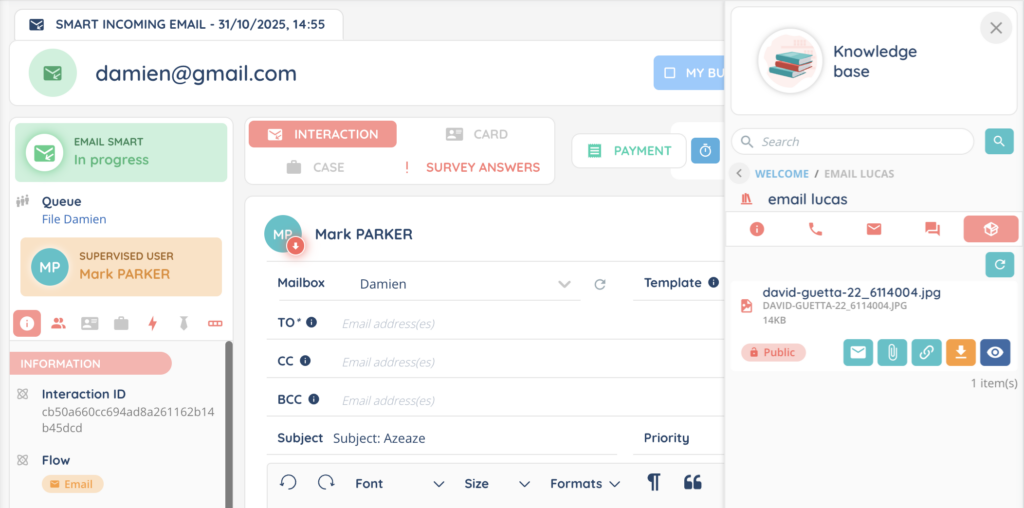
Depending on the channel:
- For email, two options are available:
- Add the document as an attachment
- Insert the document content directly into the email
- For messaging channels, you can add the file unless the channel is SMS, as SMS does not support attachments.